Client work · 2020 · for KARM Thrift Stores

Thrift Shopping Network

Thrift shopping from home.

When lockdown emptied KARM's stores in 2020, the donations kept coming. We built a way to sell the best of them online, live on camera: a play on the Home Shopping Network, with pickup at the store or shipping to your door.

Client
KARM Thrift StoresFour projects, 2016–2024
We built
Rails Web App
With
Ruby, Rails, Sidekiq, AnyCable, Stripe Connect, Vimeo
Step through a claim

thriftshoppingnetwork.com

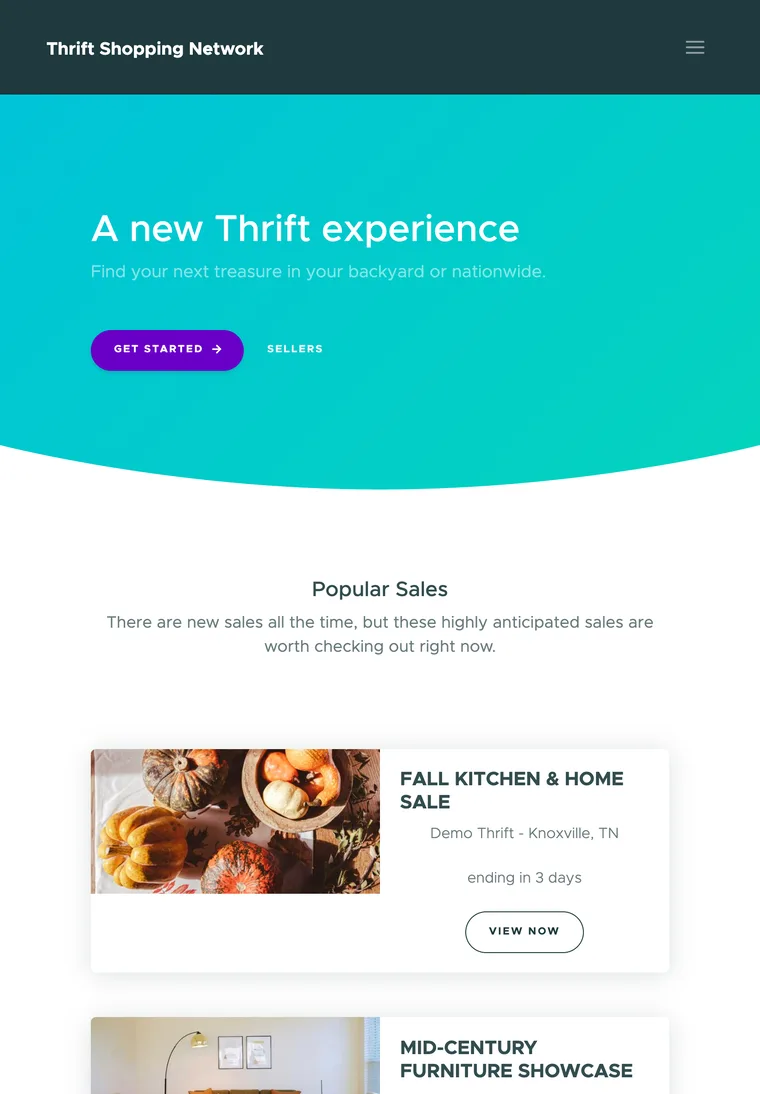
Thrift Shopping Network's homepage on an iPad: A new Thrift experience, with Get Started and Sellers buttons on the cyan-to-mint gradient, above Popular Sales, starting with a Fall Kitchen & Home Sale pictured with pumpkins.
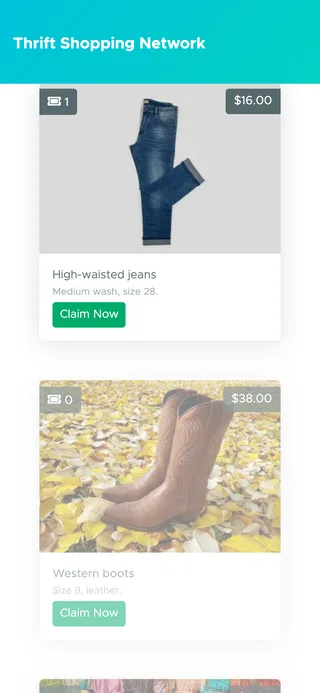
A live sale on a phone, on demo data: high-waisted jeans at $16.00 with 1 claim and a Claim Now button, and below them western boots at $38.00, still faded until they're shown.

The brief

Selling without the foot traffic

In 2020, lockdown took the foot traffic out of KARM's thrift stores, but donations were still arriving and being processed. KARM wanted to keep people working and keep raising money for its mission and the community, by selling the best of those donations online.

The challenge

Taking thrift sales online

KARM had an idea for taking thrift sales online: identify the most relevant, unique or valuable items among the donations, put the effort into curating them into sales, and show them to shoppers in real time on live webcasts, as well as in sales planned ahead.

What we made

A home shopping network for thrift

A new, standalone web app. Sellers run flash, recorded and live video sales from their own portal, shoppers claim items the moment they appear on camera, and the first in line pays online, then picks it up at the store or has it shipped.

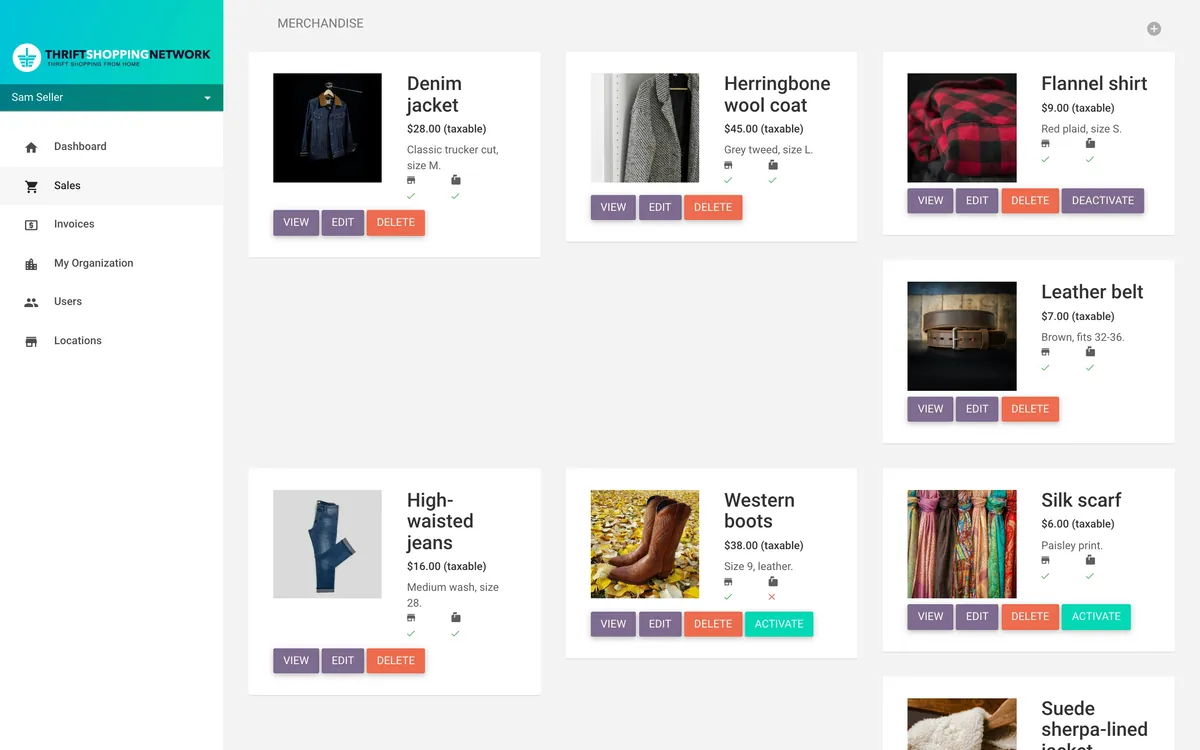
A live sale’s merchandise in the seller’s portal, on demo data: a denim jacket, a herringbone wool coat, a red plaid flannel shirt, a leather belt, high-waisted jeans, western boots and paisley silk scarves, each with its photo, its price and buttons to view, edit, delete and activate or deactivate it.

Lockdown

Donations In, No One Through the Doors

This was a project for the parent company of KARM Thrift Stores, called SMCo Thrift, who we have a great relationship with, after the OnTrac point of sale we built for KARM’s stores. Early in the Covid lockdown, donations were still being received and processed, but there was no foot traffic in the stores to sell them to.

KARM wanted to keep people working and employed, and to keep generating money to fund their mission work and help the community. Their idea was to take thrift sales online: identify the most relevant, unique or valuable items among the donations, put the effort into curating them, and sell them on a platform of their own.

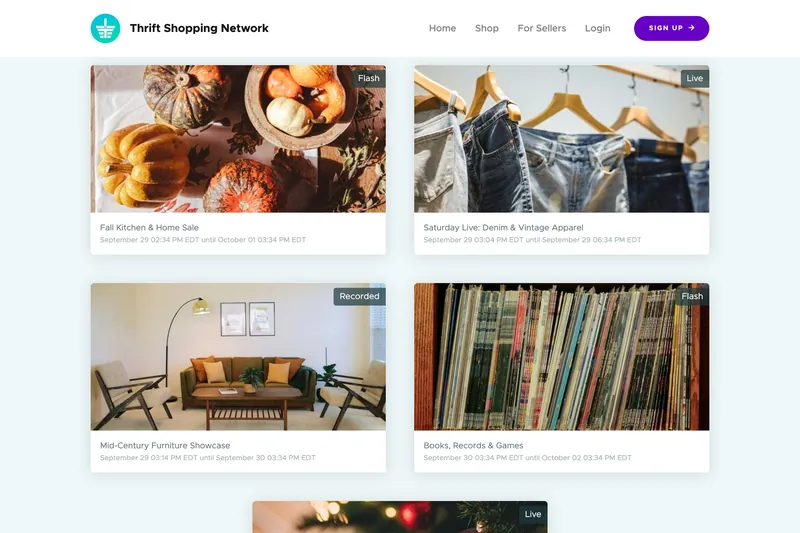
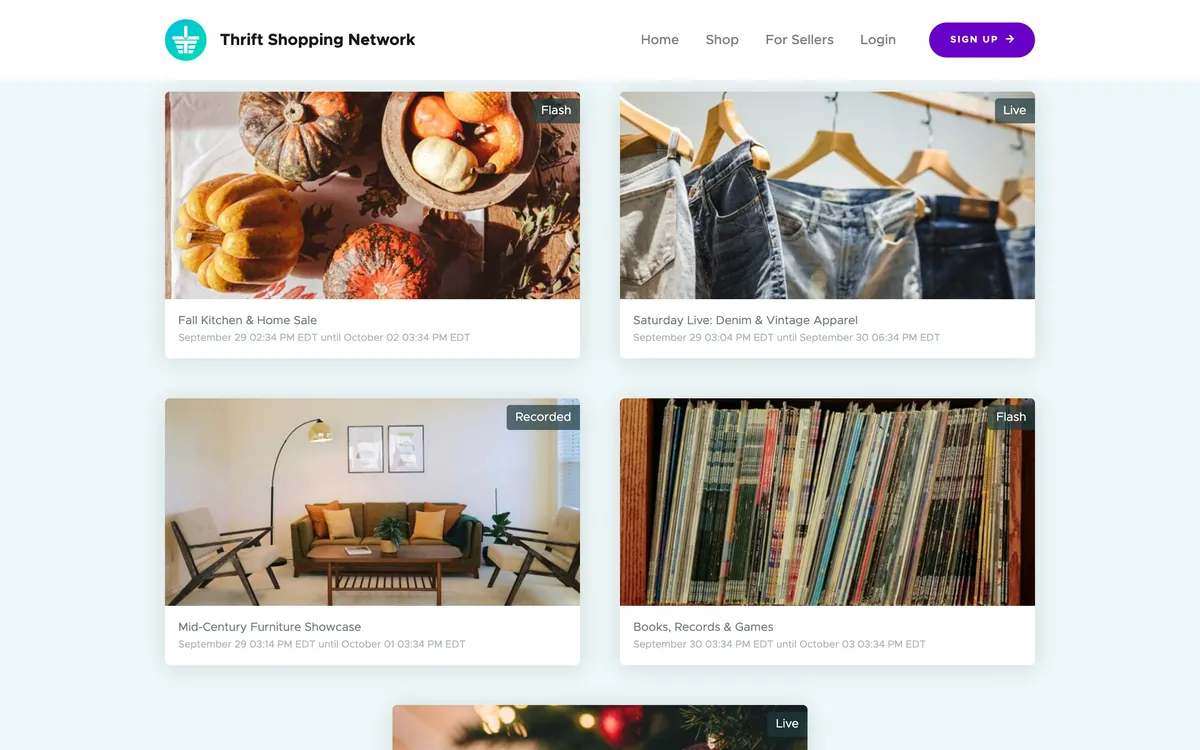
The sales on the shoppers’ site, on demo data, each with its banner photo and a Flash, Live or Recorded tag: a Fall Kitchen & Home Sale with pumpkins, Saturday Live: Denim & Vintage Apparel with jeans on hangers, a Mid-Century Furniture Showcase with a living room, and Books, Records & Games with a shelf of records.

Discovery

A Home Shopping Network, With Pickup

We had that first conversation a few weeks before we started building, and used our discovery process to work through the idea with KARM and explore the platforms and technology already out there. It felt like a lot of work to bend tools that just weren’t built for what KARM envisioned needing to succeed. SMCo Thrift was trying to find ways to monetize during the lockdown, so they wanted a purpose-built tool.

What came out of it was a new, standalone product, Thrift Shopping Network, and a bit of a play on the Home Shopping Network: live webcasts showing the items in real time, with live sales, which were quite popular, alongside sales planned out ahead, and a local pickup at the store at the end of it.

It was built as a network rather than a shop, because the plan was for other organizations to use it and sell online too. Any seller could sign up for a monthly plan, add its locations and run its own sales from a seller’s portal, and shoppers could browse every sale on the site, near them or nationwide, signing in with Google or Facebook if they liked.

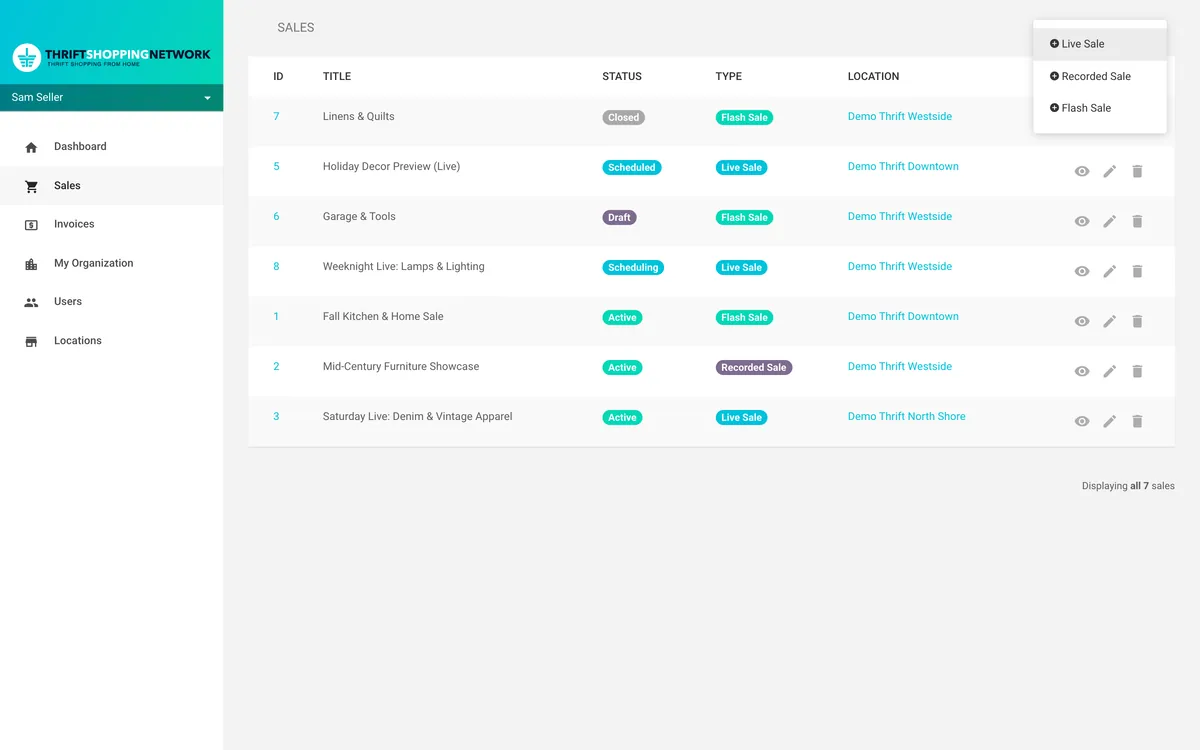
The list of sales in the seller’s portal, on demo data, with the New Sale menu open on three choices: Flash Sale, Recorded Sale and Live Sale.

The sales

Three Ways to Hold a Sale

Not every sale needed to be live, so a seller could choose from three kinds, each with its own dates, banner, location and items.

A Flash Sale puts every item up at once, for as long as the sale runs. A Recorded Sale plays a video from the seller’s Vimeo account, uploaded from the portal or chosen from ones already there. Its items are revealed one at a time as the video plays, the first after a delay and each one after that at an interval, both set by the seller in seconds, so they can appear in step with the video. A Live Sale is the real thing, streamed as it happens, with the seller unlocking each item from the portal as it comes on camera.

Each sale also decides when its invoices go out, either the moment someone claims an item or when the sale closes, and how long a shopper has to pay, anywhere up to three days.

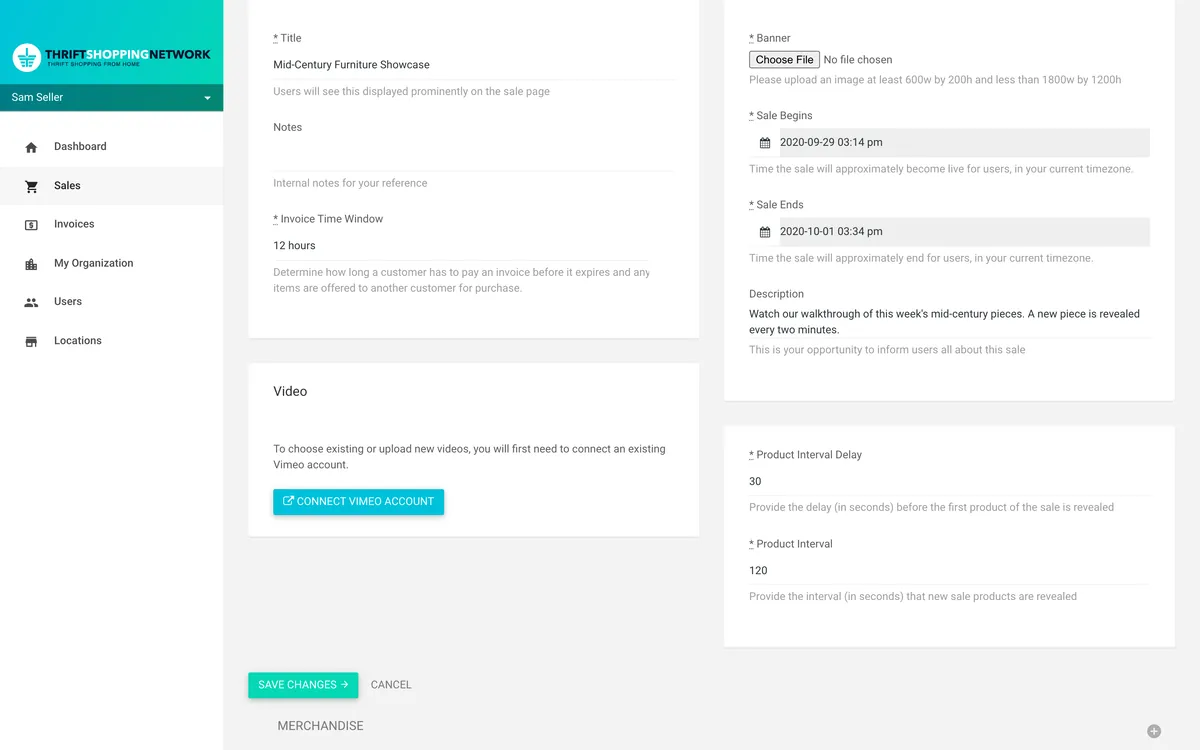
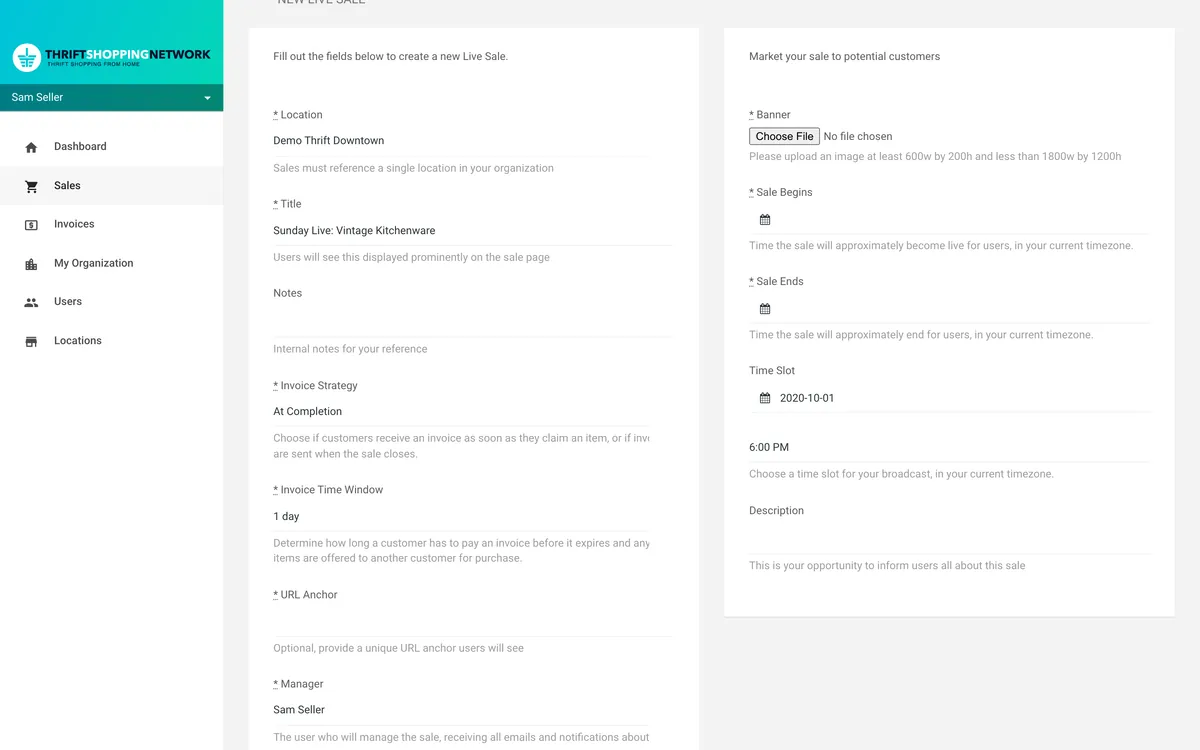
Editing a recorded sale in the portal, on demo data: a Video card asking the seller to connect their Vimeo account, and on the right a Product Interval Delay of 30 and a Product Interval of 120, each with its hint in seconds. A new live sale in the portal, on demo data: a Time Slot field with a date in October 2020 and 6:00 PM chosen, and the hint to choose a time slot for your broadcast, in your current timezone.
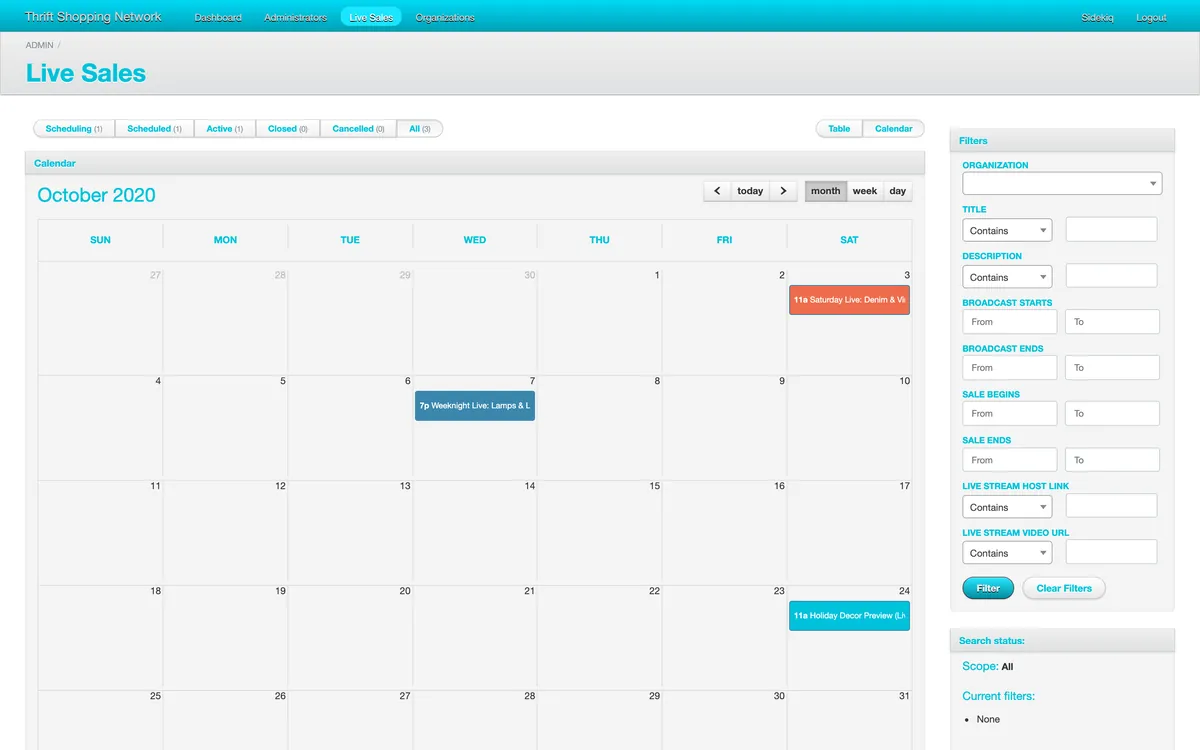
The platform’s admin, on demo data: a calendar of live sales for October 2020, with a denim sale on the 3rd, a lamps and lighting sale on the 7th and a holiday decor preview on the 24th, each at its broadcast time.

Going live

One Show an Hour

Live sales were streamed on the platform’s own livestream.com account, with the seller joining as a guest host, so they had to be booked. A seller picks a date, and the portal offers the hours still free that day, one show an hour from 8am to midnight Eastern, with any hour another live sale has already taken left out.

Booking a slot sends a request to the platform’s producers, who approve or reject it from the admin’s calendar and add the stream’s links, and approving it tells the seller the show is booked. A second email sends them the link to host from, once a producer adds it.

The claim

First to Claim

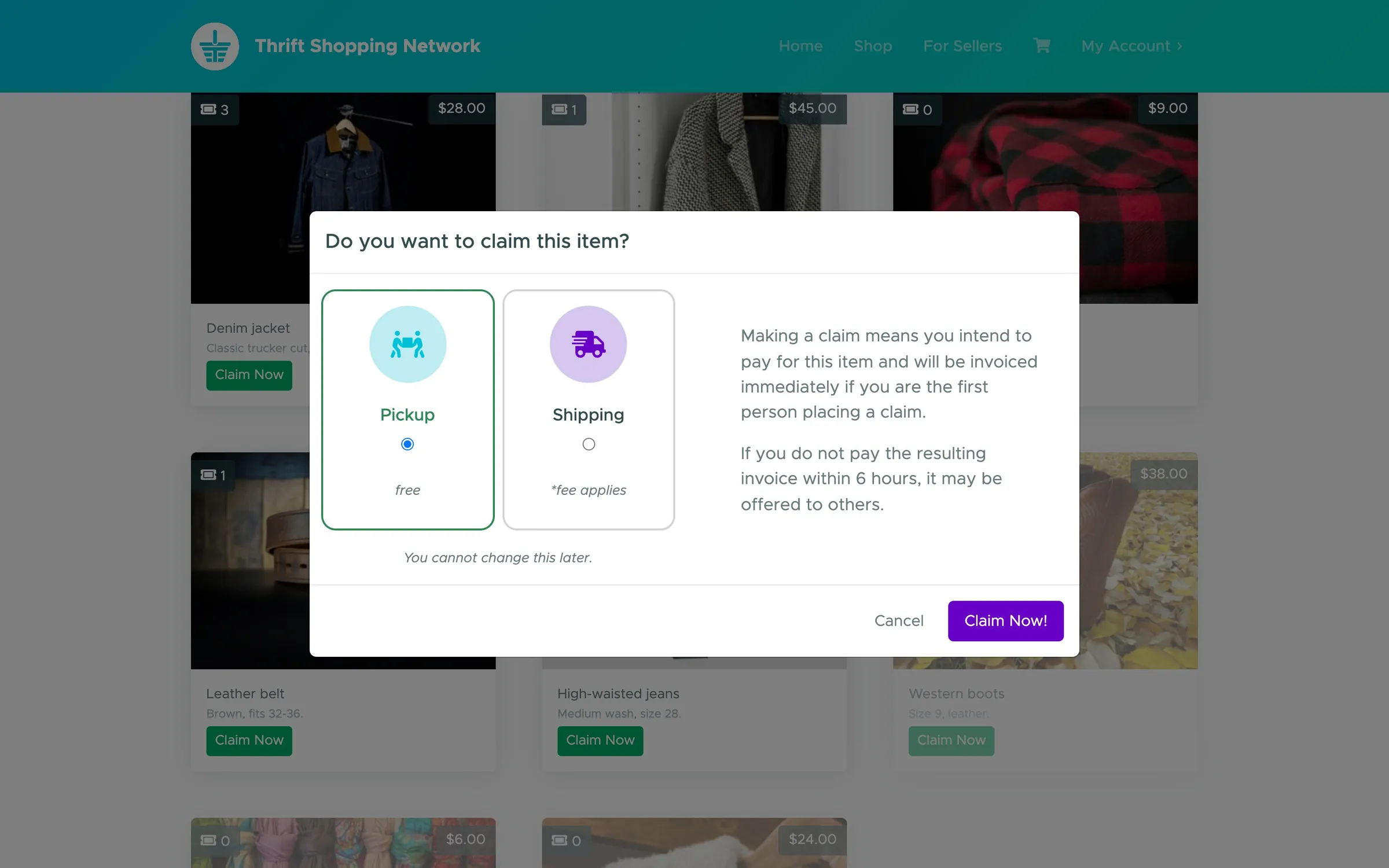
The heart of it is the claim. On a live sale, an item unlocks as it comes on camera, and whoever claims it first gets it. Claiming means you intend to pay for it, so you choose pickup or shipping up front, and you can’t change it later.

Everyone who claims after you joins a line for that item, and the app tells you where you stand. When the first invoice goes out, the shopper has the sale’s time window to pay it, and if they don’t, they lose the item, their invoice goes stale, and the next person in line is offered it with a fresh one. That repeats until someone pays, or until the item has been let go three times.

Step through one item’s line here, on a sale that sends its invoices the moment an item is claimed; the others send them to the first in line when the sale closes. The jacket and the shoppers are our demo data, and the rules are the app’s own.

Denim jacket$28.001 claim

  1. 1JaneInvoiced, 24 hours to pay
The first claim gets the invoice straight away

Denim jacket$28.004 claims

  1. 1JaneInvoiced, 24 hours to pay
  2. 2JohnWaiting
  3. 3AlexWaiting
  4. 4ChrisWaiting
“you are #2 in line for this item”: everyone after her waits their turn

Denim jacket$28.004 claims

  1. 1JaneLost opportunity
  2. 2JohnInvoiced, 24 hours to pay
  3. 3AlexWaiting
  4. 4ChrisWaiting
A day goes by unpaid so the next in line is offered it

Denim jacket$28.00Sold

  1. 1JaneLost opportunity
  2. 2JohnPaid, awaiting pickup
  3. 3AlexNot needed
  4. 4ChrisNot needed
John pays and the jacket waits for him at the store

Denim jacket$28.00Offered 3 times

  1. 1JaneLost opportunity
  2. 2JohnLost opportunity
  3. 3AlexLost opportunity
  4. 4ChrisNot offered
Three lapses and it isn’t offered again
Do you want to claim this item? over the live sale: Pickup, free, chosen, or Shipping, fee applies, which you cannot change later, beside the note that you’ll be invoiced immediately if you’re the first to claim, and have this demo sale’s time to pay before it may be offered to others.
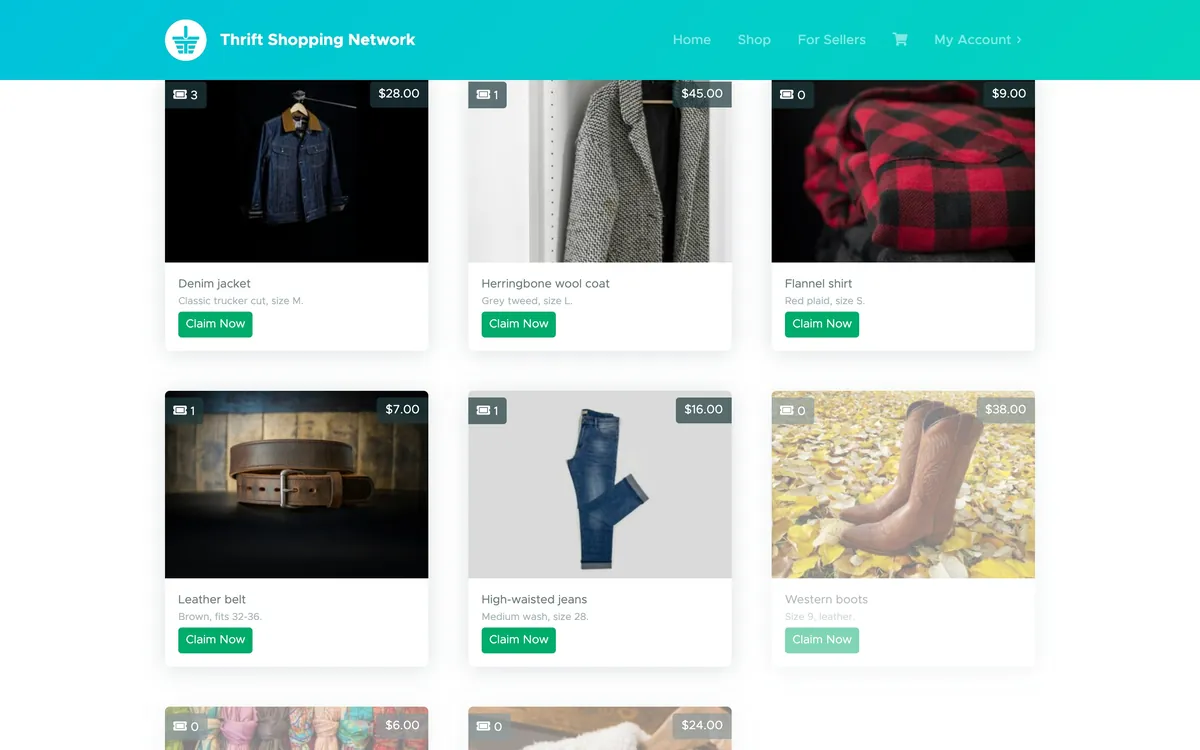
A live sale’s items on demo data, each with its price and a count of its claims: a denim jacket at $28.00 with 3 claims, a herringbone wool coat at $45.00 with 1, and a red plaid flannel shirt, a leather belt and high-waisted jeans, with western boots in autumn leaves still faded until they’re shown.

Real time

Everyone Watching at Once

A live sale only works if everybody sees the same thing at the same moment, so the sale page holds a WebSocket open to the server, run by AnyCable as its own small app beside the main one.

When the seller unlocks an item on a live sale, it isn’t unlocked straight away but twenty seconds later, to line up with the delay on the shoppers’ live stream, so nobody can claim it before they’ve seen it. Then it lights up on every screen with a note that a new item is available. When someone claims one, its count of claims ticks up for everyone, the shopper who claimed it is told their place in line, and everyone else sees who just claimed what. When the sale opens or closes, every page watching it reloads itself.

The connection is only opened when it’s needed. A page for a sale more than fifteen minutes from starting just checks back every five minutes, and a closed sale never connects at all, so the only connections held open are from people actually there for a show.

A live sale on two screens, on demo data, with no sound: the seller activates the western boots in the portal, and twenty seconds later (skipped here) they light up on the shopper’s page with a note that a new item is available. The shopper claims them and is told they’re first in line, then a second shopper claims the same boots and the count of claims ticks up to two.
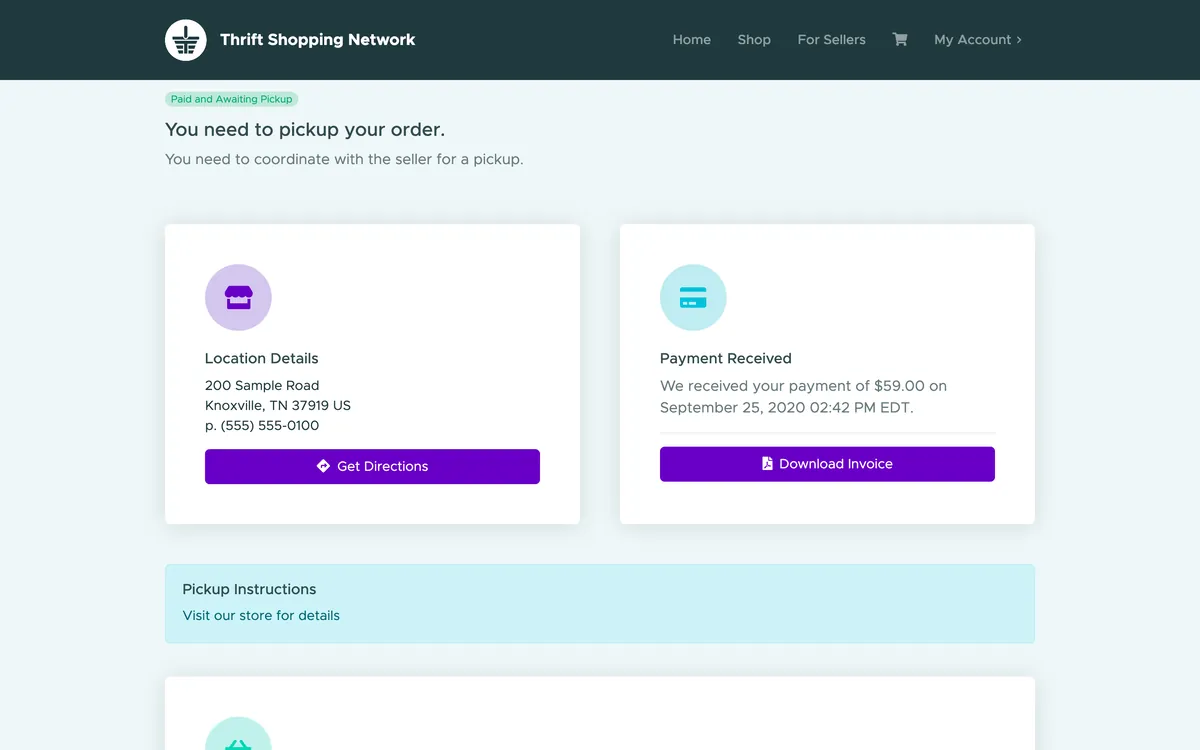
An invoice on demo data, Paid and Awaiting Pickup: the store’s address and pickup instructions beside the payment received, and the items bought below.

Getting paid

Money Straight to the Mission

Each seller connected its own Stripe account through Stripe Connect, so a shopper’s payment went straight to the seller, with the platform’s fee taken on the way. Sales tax is worked out per location, and only on the items that are taxable.

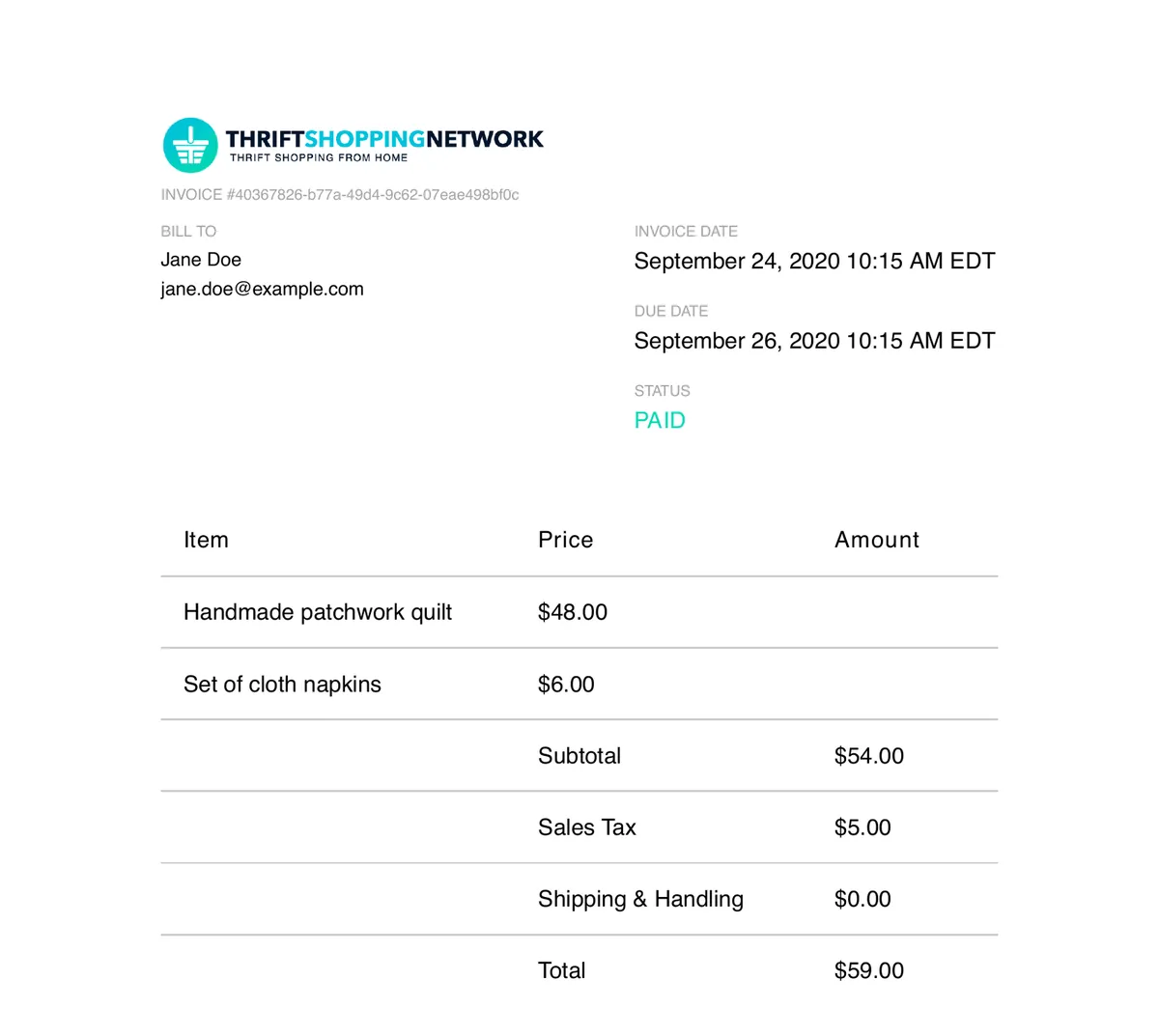
A shopper pays an invoice online and can download it as a PDF, and a pickup order then shows the store’s own pickup instructions, while the seller can only print a packing slip once the payment is in.

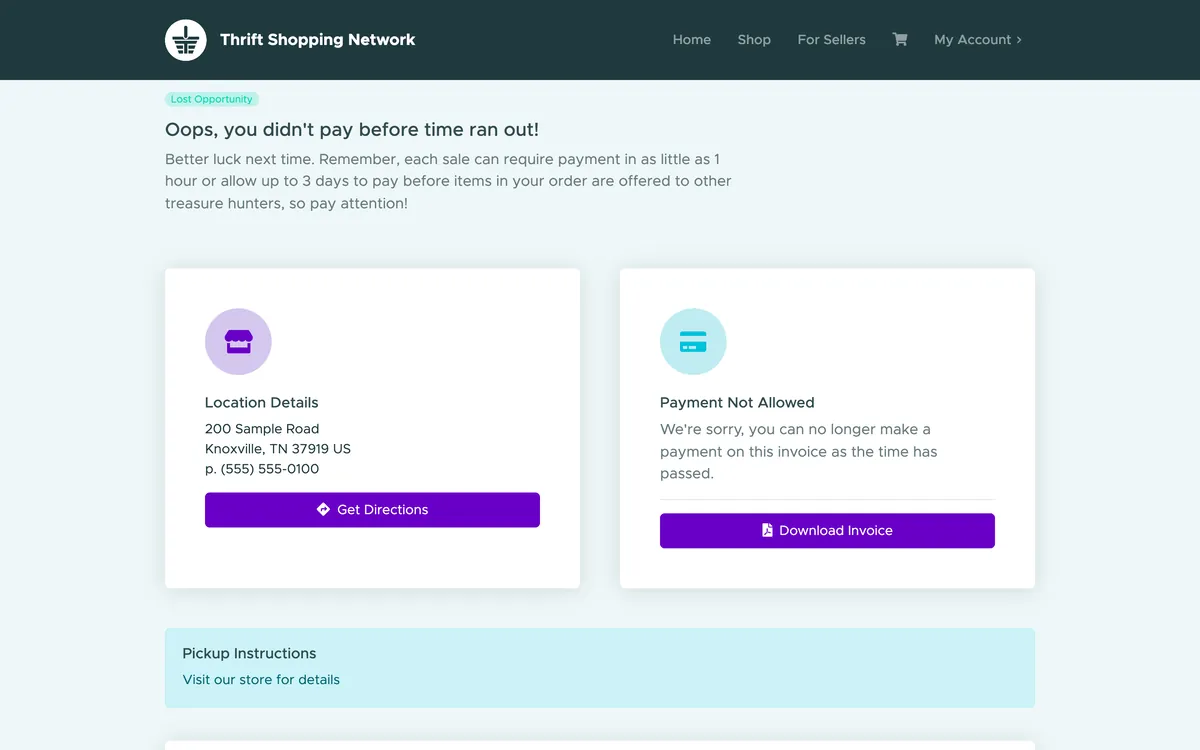
An invoice that ran out of time, on demo data: Lost Opportunity, oops, you didn’t pay before time ran out, and a note that payment is no longer allowed because the time has passed. A paid invoice as a PDF, on demo data: the Thrift Shopping Network logo, billed to Jane Doe, marked PAID, for a handmade patchwork quilt at $48.00 and a set of cloth napkins at $6.00, $59.00 with sales tax.
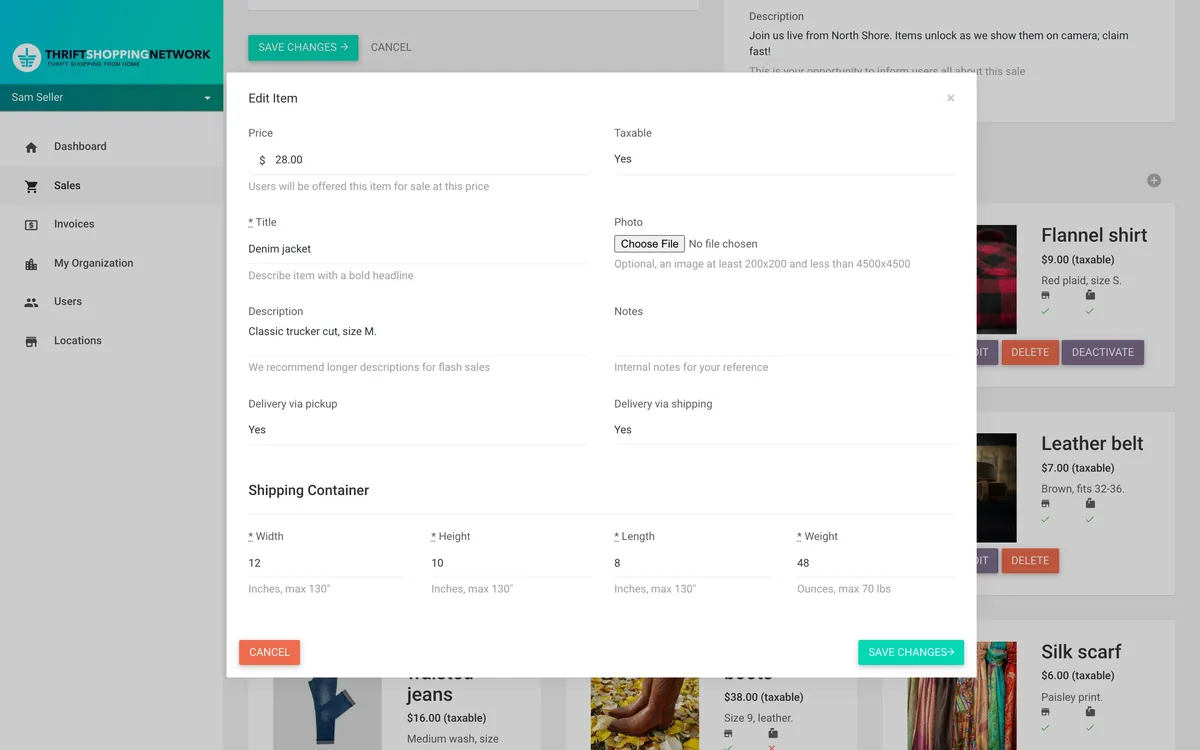
Editing an item in the seller’s portal, on demo data: a denim jacket at $28.00, offered for pickup and for shipping, in a box 12 by 10 by 8 inches weighing 48 ounces, each field with its limit, up to 130 inches and 70 pounds.

Shipping

From the Store to Your Door

Pickup at the store was the plan from the start, but by September we’d built shipping too, and shoppers used it, so a shopper didn’t have to live near the store to buy from it.

A seller connects its own EasyPost account from the portal, which registers each of its stores as a place parcels ship from. Then, for any item it’s happy to ship, it enters the box’s size in inches and its weight in ounces, up to 70 pounds.

When an invoice goes out for shipping, the app builds the order with EasyPost from the shopper’s address and each item’s box, picks the cheapest rate and adds it to the invoice, before the shopper ever sees it. On the payment page they can choose another rate or another address, and the total updates to match. If EasyPost can’t find a rate at all, the invoice quietly falls back to pickup.

Once it’s paid, the seller buys the postage with one button and prints the label and the packing slip, and the shopper gets an email as each item ships, and again when it’s delivered, each with a link to track it.

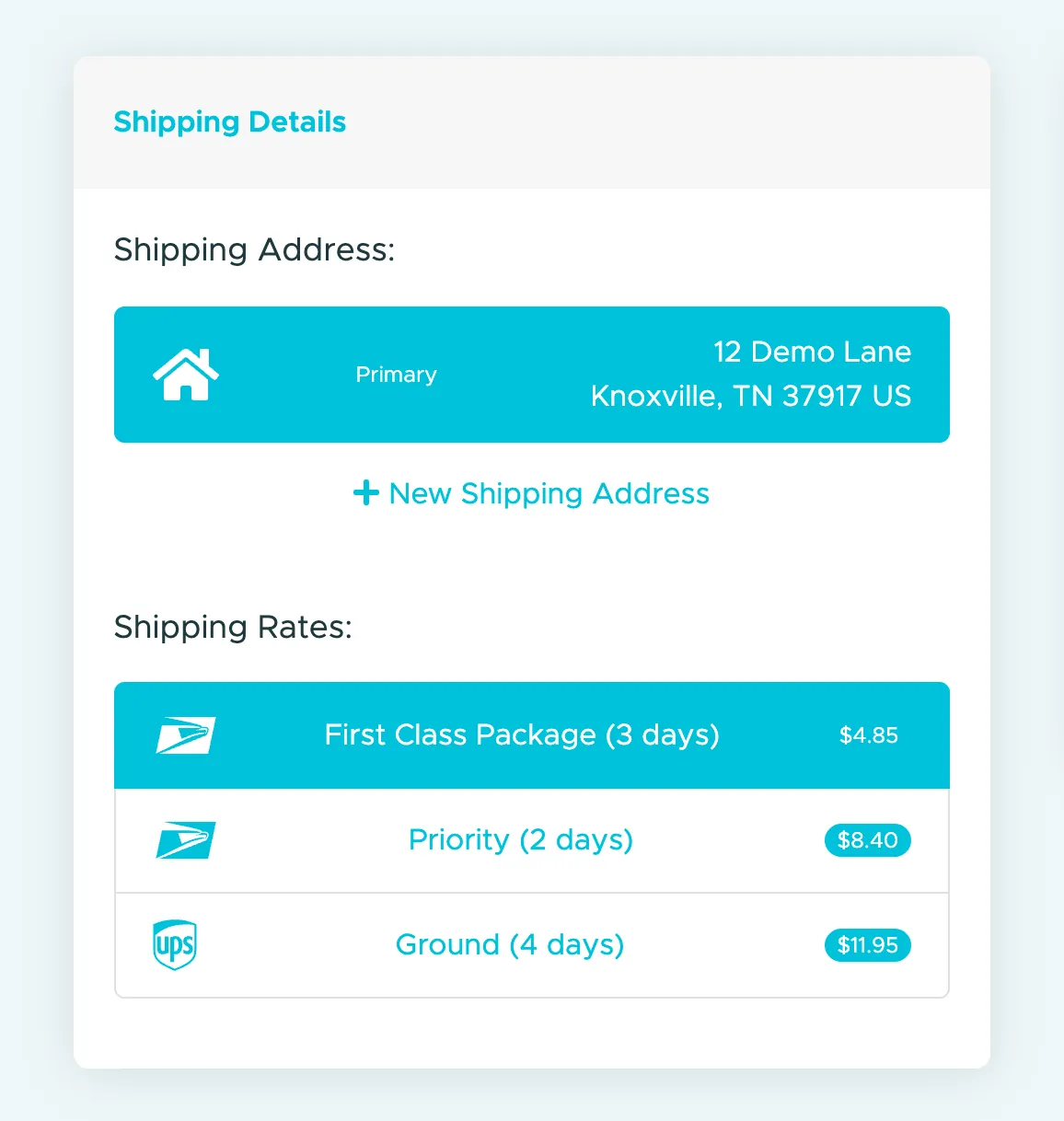
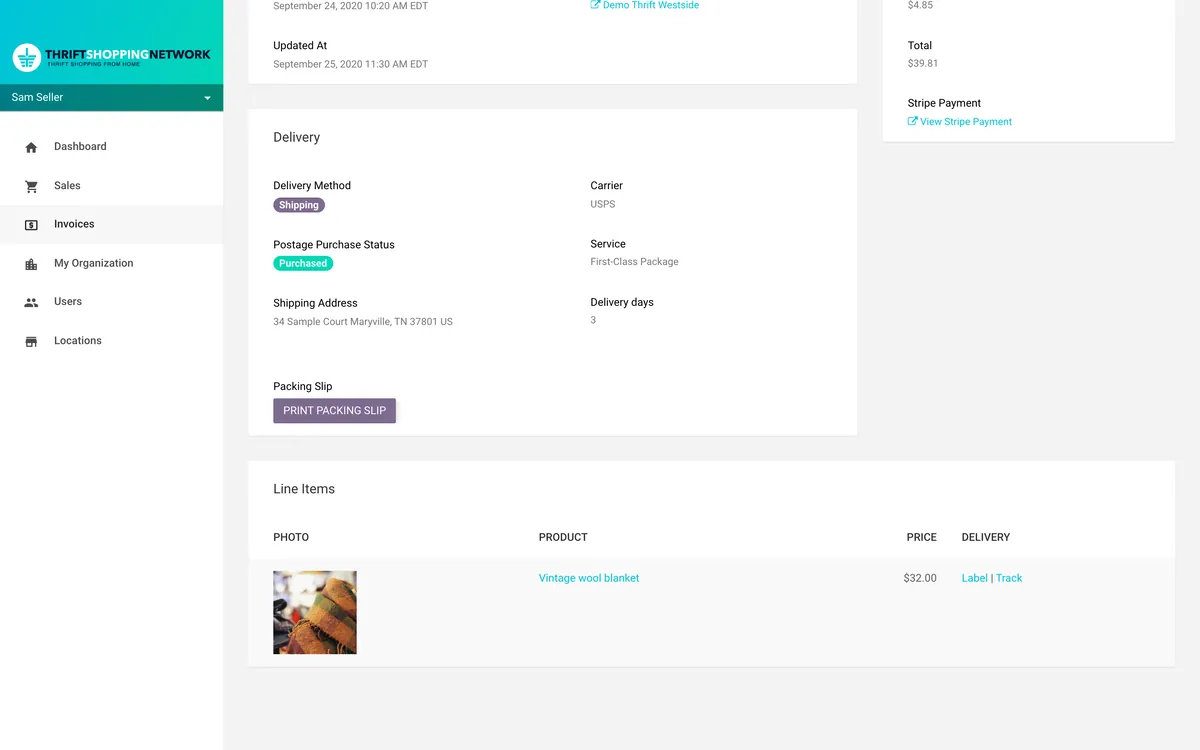
Shipping details on the page where a shopper pays, on demo data: the primary address, 12 Demo Lane, Knoxville, a link to add a new one, and three rates to choose from, with the cheapest, USPS First Class Package in 3 days at $4.85, already chosen, then Priority in 2 days at $8.40 and UPS Ground in 4 days at $11.95. A paid shipping invoice in the seller’s portal, on demo data: postage purchased, shipping to 34 Sample Court, Maryville, by USPS First-Class Package in 3 days, with a Print Packing Slip button, and Label and Track links beside a vintage wool blanket at $32.00.

The Craft

Built over a summer

The first commit was on 5 June 2020, the sales and their items were in by the end of that month, along with claims and invoicing, the shoppers’ site came together through July, and payments were switched to production in the middle of September.

Work on a schedule

Much of the app runs on its own, as background jobs in Sidekiq: opening sales when they start, revealing a recorded sale’s next item on time, closing sales and sending their invoices, and letting unpaid invoices go stale so the next person in line gets their chance.

Tested and deployed on every change

A suite of RSpec tests, including browser tests driven through Chrome, ran on Heroku CI, and a change that passed went out automatically, with its database migrations run on release, to the web app and to the separate WebSocket app, which share one database and Redis.

A utilitarian product

Like the Pricing Guide, it’s a utilitarian product. The shoppers’ site is built on a ready-made Bootstrap theme, SB UI Kit Pro. The seller’s portal is built on lotus_admin, the Rails admin gem we published, and the PDF invoices and packing slips come from the receipts gem, which the app started using as soon as a pull request of ours to it was merged.

More for KARM Thrift Stores

Four projects for KARM Thrift Stores

All the client work

2016 to 2024

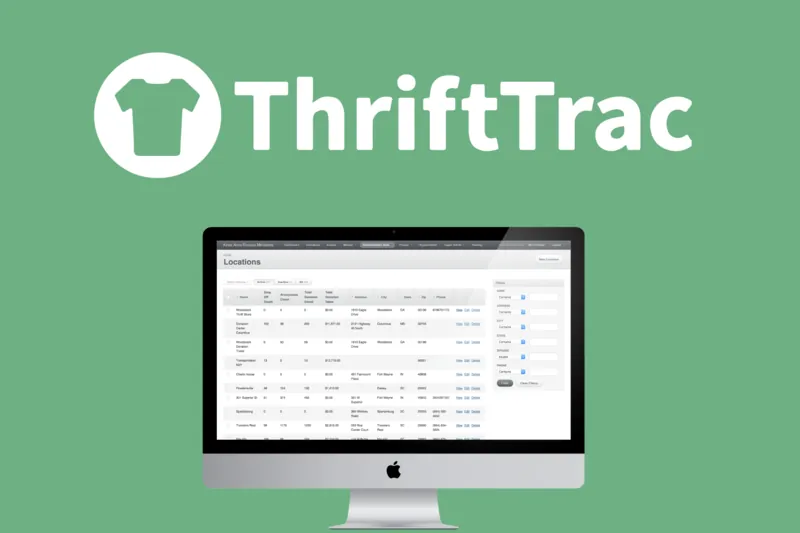
  1. 2016 Still maintainedThriftTracTurns thrift stores' data into information they can act on. Read the case study
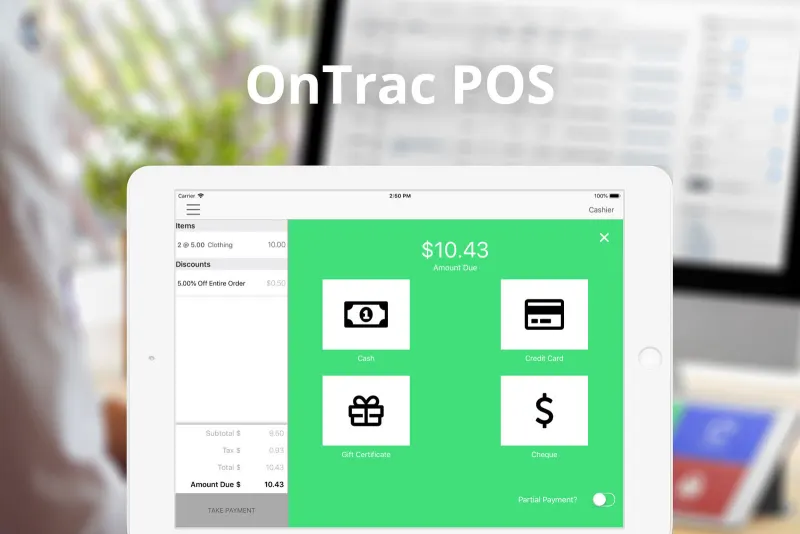
  2. 2018 Still maintainedOnTracA point of sale made for the needs of the thrift industry, on iPad. Read the case study
  3. 2020
    Thrift Shopping NetworkLive, recorded and flash sales of donated treasures online, for the 2020 lockdown. You’re reading this
  4. 2024 Still maintainedPricing GuideA shared price guide for thrift stores, on the iPads and Chromebooks in the store. Read the case study