Client work · 2019 · for April Taylor CPA

April Taylor CPA

Every job, in one place.

A CPA firm needed to keep track of all of its work: tax returns, bookkeeping and everything in between. I started by finding out how the firm really worked, then built for how it should, and looked after it for years.

Client
April Taylor CPA
We built
Rails Web App
With
Ruby, Rails, Active Admin, PostgreSQL, Sidekiq, Heroku

No longer runningTaken offline in December 2025

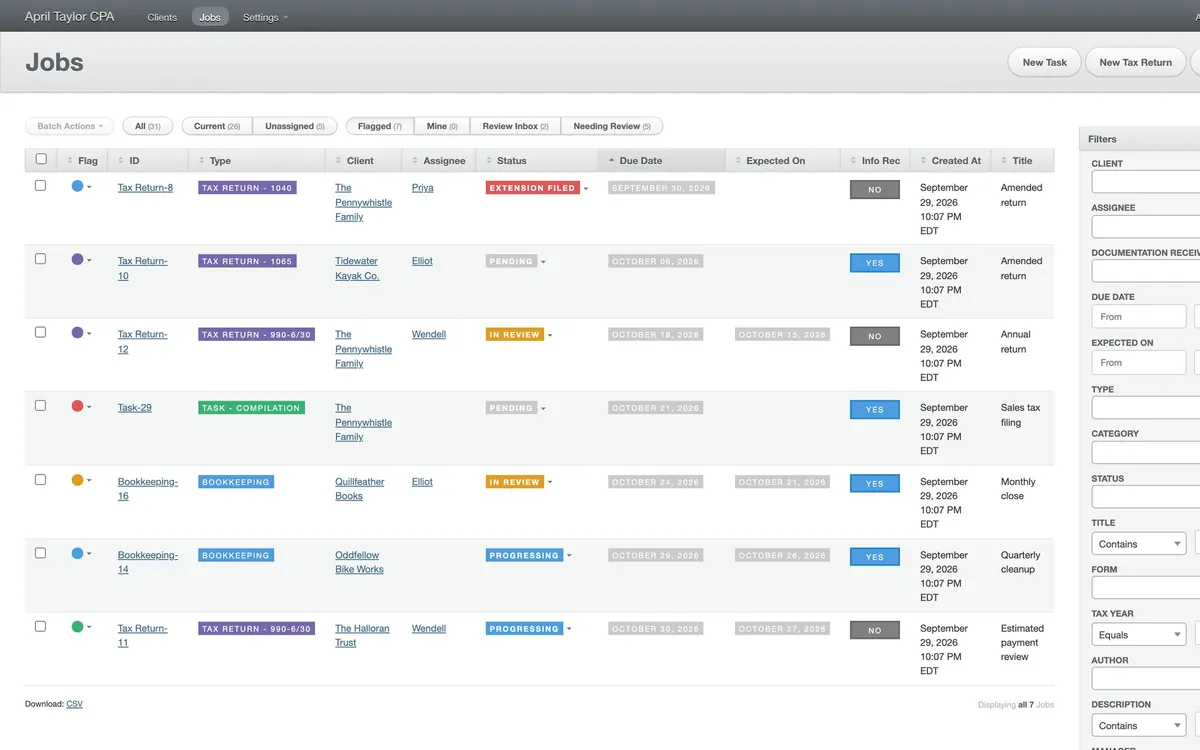
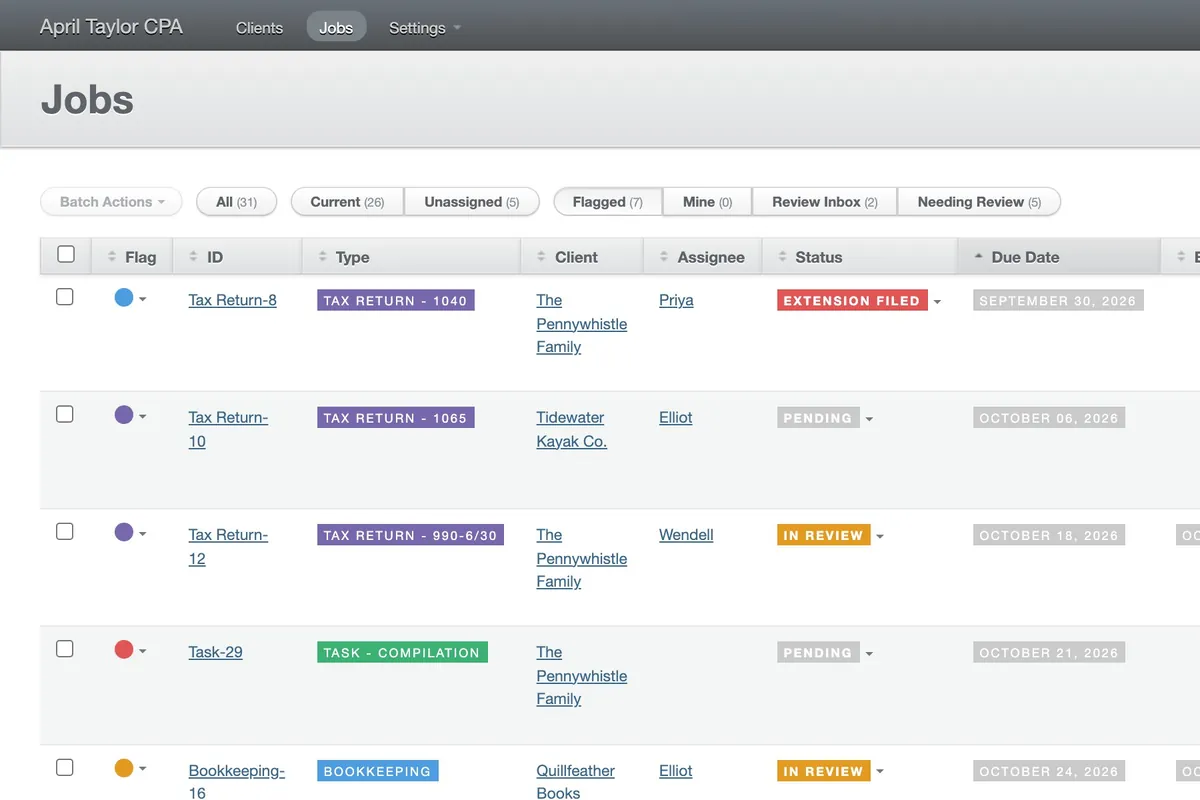
April Taylor CPA's jobs page on demo data: a grey header, tabs for Current, Unassigned, Flagged and Mine, and a table of tax returns, bookkeeping and tasks with coloured type and status tags.

The brief

One place for all the work

April Taylor's CPA firm needed one place to see all of its work: every tax return, bookkeeping job and task, who had it, when it was due and what state it was in. It also needed to work better than it did, so I started by finding out how the work really went.

The challenge

Find the workflow first

I looked at Orchestly first, to avoid custom software, but it was very complicated to configure and wasn't going to cover everything she needed. So I suggested spending a little more, and using discovery to work out what the firm really did, and what it should.

What we made

Software for a better way of working

A Rails app built around the better workflow I found, not the old one: tax returns, bookkeeping and tasks each move through their own steps, with review before anything is done, kept up to the standard of any larger project.

The jobs page on demo data: a dark grey header with Clients, Jobs and Settings, buttons for a new task, tax return or bookkeeping job, tabs for All, Current, Unassigned, Flagged, Mine, Review Inbox and Needing Review, and a table of jobs with coloured flags, type tags, clients, assignees, statuses and due dates.

The firm

A CPA Firm With a Lot to Keep Track Of

April Taylor CPA is a CPA firm, and it is still in business. It has several employees, all working on clients’ returns, books and filings.

The firm needed one place where all of that lived, so that anyone could see what was waiting, who had it, and whether it was going to be late. I built it, and it was the way the firm kept track of its work until December 2025.

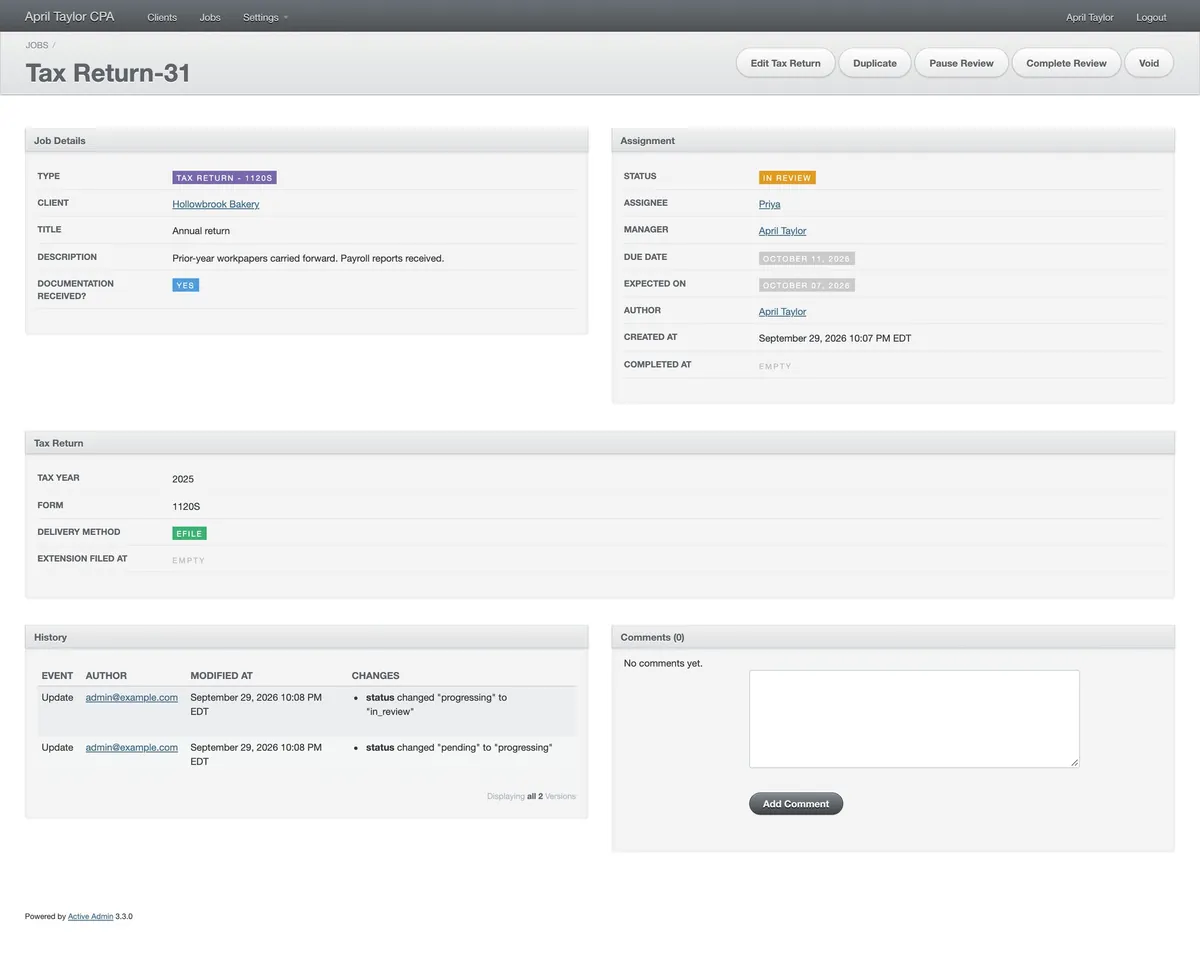
One tax return's page on demo data: Job Details with its type, client, title and description; Assignment with its status, assignee, manager, due date and expected date; Tax Return with its tax year, form and delivery method; a History of the changes made to it; and Comments.

Discovery

Finding Out How the Work Really Went

Custom software costs more, so I started by trying to avoid it. I investigated Orchestly, a tool that could be configured instead of built. It was very complicated to get configured, and it wasn’t going to solve all of her needs.

So I suggested spending a little more, and starting with a discovery process. I worked through her business with her to uncover the workflows she was actually trying to run, before deciding what to build.

What I found was that the way the firm worked was not necessarily ideal, and that building software to copy it exactly would only have set the habits in code. She didn’t want that. She wanted software that supported better workflows, and custom software let her have them.

The details moved as I went. Cancel became Void, Clone became Duplicate, and filing an extension became a step for tax returns alone.

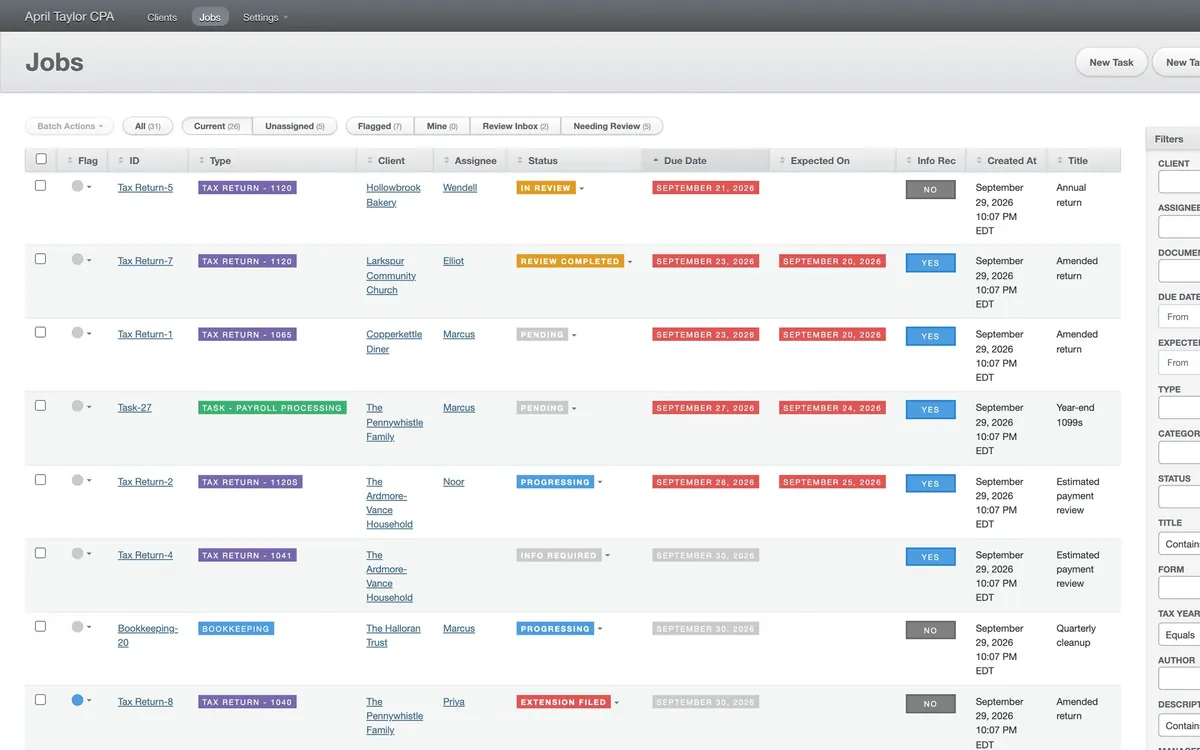
The jobs page on demo data, on its Current tab and sorted by due date: the due dates that have passed are red, and the ones still to come are grey.

The jobs

Three Kinds of Work, Each With Its Own Steps

A job is a Task, a Tax Return or a Bookkeeping job, and each has its own steps because the work isn’t the same. Only a return can have an extension filed, and a bookkeeping job goes to review only if it includes financials. Whatever the kind, it has a due date, a manager and an assignee, and whoever is assigned is emailed.

The workflow

Review Before It Is Done

The better workflow came down to what a job is allowed to do next. A tax return is started, can be put on hold or have an extension filed, and goes to review, where an admin completes it or sends it back. Only then is it done.

An admin can complete a return early, and a bookkeeping job without financials skips review, but what you can press always depends on where the job is.

With workflows this branching, and a firm handling other people’s tax and financial records, the rules could not live in people’s heads or in scattered if statements. Each kind of job is a state machine on its Active Record model, written with the AASM library, so the steps and the moves between them are declared once and enforced in one place. Pundit then decides who may make each move, so the buttons on screen come from the state machine and the permissions together. The idea is the one in my open source active_admin-state_machine gem, which builds ActiveAdmin’s action buttons from a resource’s state machine. This app has its own small version of it, written for AASM.

Step through one tax return here. It is demo data, and the buttons in each state are the app’s own.

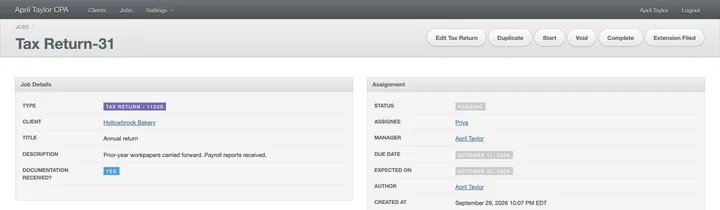
The top of the return's page on demo data, Pending: the buttons are Edit Tax Return, Duplicate, Start, Void, Complete and Extension Filed.
Pending. Start or Extension Filed, and Complete for an admin, as here
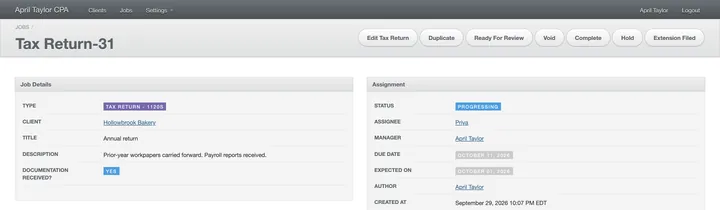
The top of the return's page, Progressing: the buttons now include Ready For Review, Hold and Extension Filed.
Progressing. Now it can go to review, be put on Hold or have an extension filed
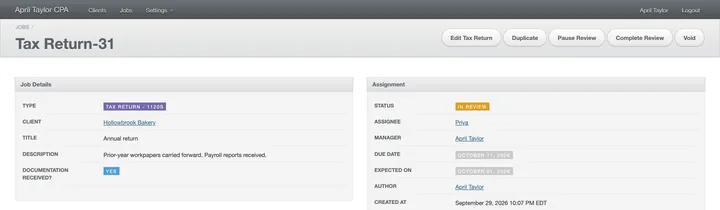
The top of the return's page, In Review: the buttons are Edit Tax Return, Duplicate, Pause Review, Complete Review and Void.
In review. An admin can Complete Review, or Pause Review to send it back
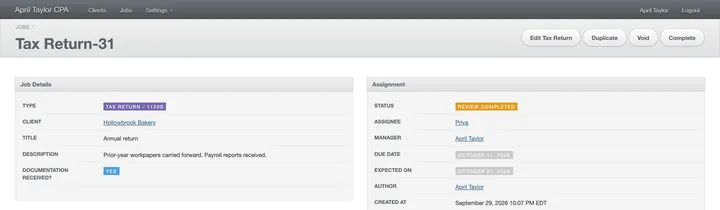
The top of the return's page, Review Completed: the buttons are Edit Tax Return, Duplicate, Void and Complete.
Review completed. Only Complete is left
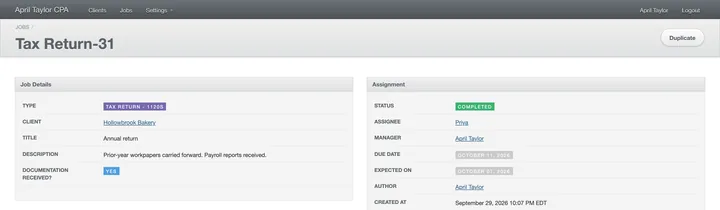
The top of the return's page, Completed: the only button left is Duplicate.
Completed. The buttons are gone, apart from Duplicate
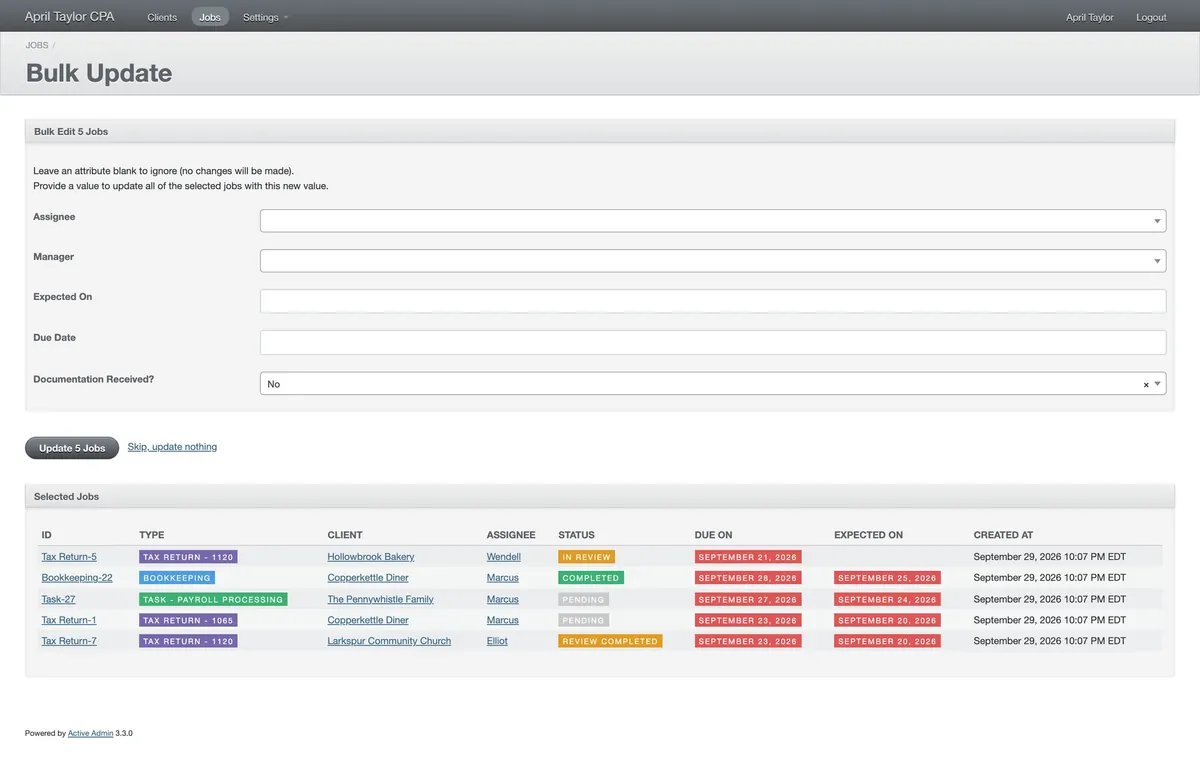
The Bulk Update page on demo data: Bulk Edit 5 Jobs, with blank fields for assignee, manager, expected date and due date, an Update 5 Jobs button, and the five selected jobs listed below.

The jobs page

What Is Mine, What Is Late, What Needs a Look

The jobs page is a plain table sorted by due date, with tabs for what is Current, Unassigned, Flagged and Mine, and a Review Inbox for admins. Flags are personal, and a batch of jobs can be handed to someone else in one go.

The Craft

This was a smaller project for a small business, and I felt strongly that it should still get the same caliber of work as any larger one. That meant the tests, the automated deploys and the upkeep below, not just the launch.

Tested on every change

The app has a full automated RSpec test suite, covering its models, its permissions, its emails and its display code. It ran on GitHub Actions for every change.

Deployed automatically

A change that passed went to production on its own, so updates stayed routine. The app ran on Heroku the whole time, with its assets served through CloudFront and its errors reported to Sentry.

Kept up to date

It began on Rails 6 in October 2019 and was still being updated in 2025, when I brought it to Rails 8 and Ruby 3.3, along with Sidekiq 8 for the background jobs. In between came regular platform and security maintenance, and every now and then an odd feature request.

A record, and permissions

Every change to a job is kept with who made it and when, and shown next to a place for comments. Devise handles signing in and Pundit what each person may do.