Client work · 2024 · for KARM Thrift Stores

Pricing Guide

A shared price guide for thrift stores.

Find the brand on the label, see a suggested price, and price the item, on an iPad or a Chromebook in the store. Thrift store chains across the country can share one library of brands, and it gets more useful the more of them do.

Client
KARM Thrift StoresThree projects, 2016–2024
I built
Rails Web App
With
Ruby, Rails, Hotwire, MySQL, Sidekiq
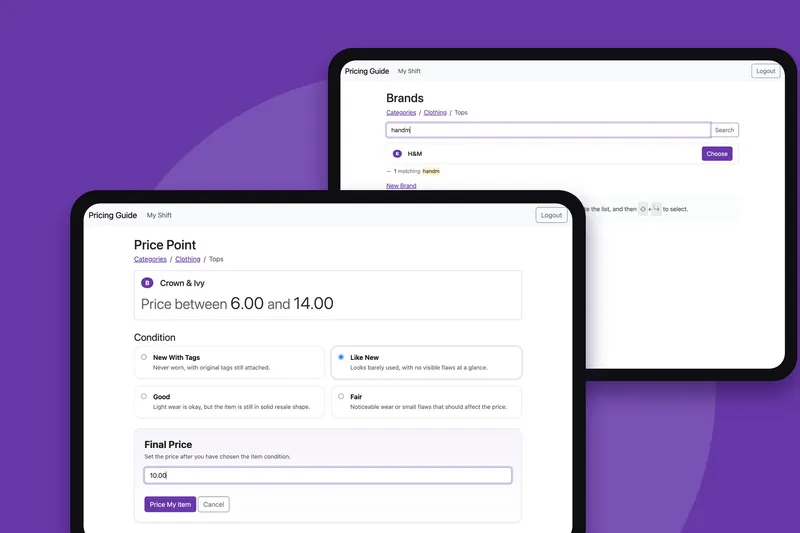
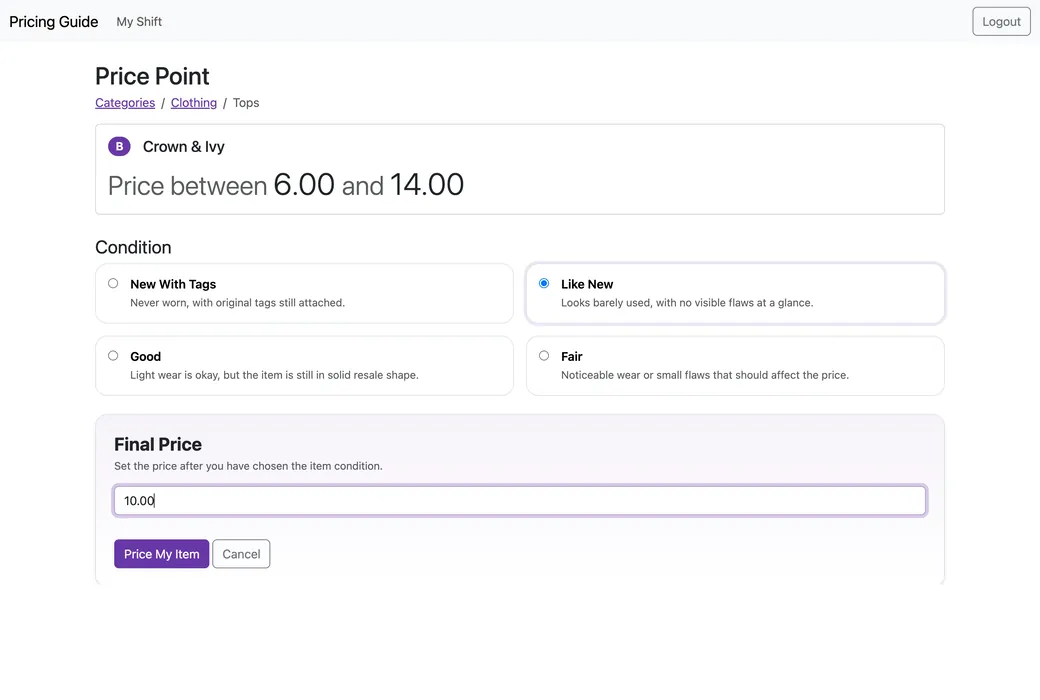
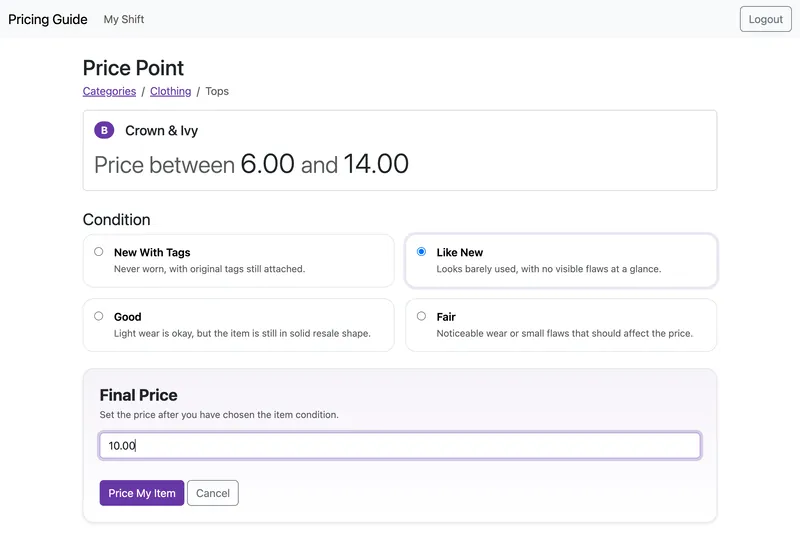
Pricing a Crown & Ivy top on an iPad: price between 6.00 and 14.00, Like New chosen from four conditions, and a final price of 10.00 above a Price My Item button.
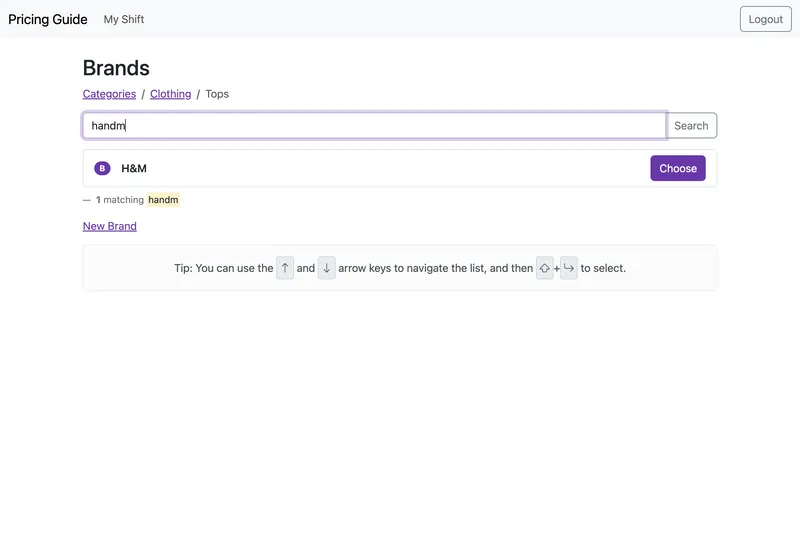
Searching the brands in Clothing, Tops for handm on an iPad. One brand is found, H&M, with a Choose button.

Three projects for KARM Thrift Stores · since 2016

  1. 2016Still maintainedThriftTracTurns thrift stores' data into information they can act on.Read the case study
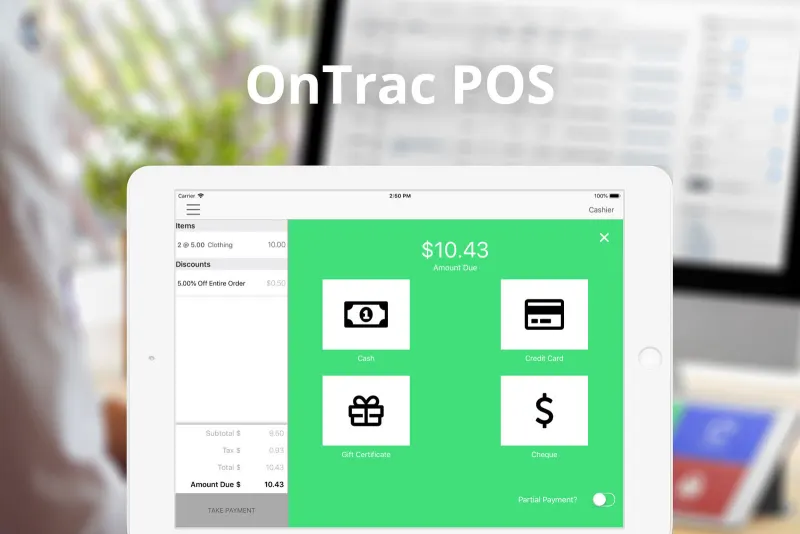
  2. 2018Still maintainedOnTracA point of sale made for the needs of the thrift industry, on iPad.Read the case study
  3. 2024 · You’re reading thisPricing GuideA shared price guide for thrift stores, on the iPads and Chromebooks in the store.

The brief

The same price, every time

KARM wanted pricing to be consistent: between the people pricing at the same store, and across all of its stores. That meant replacing a big binder of printed prices with a guide that suggests a price for each item, on the iPads and Chromebooks in the stores.

The challenge

Retiring the binder

Pricing was done by hand from a binder that took a lot of work to update through the year, get out to every location and train people to use the same way, and it still wasn't consistent. And once other chains could share one library of brands, one store's spelling had to stop becoming everyone's duplicate.

What I made

A suggested price, and a library that learns

A Rails app I built on my own, on ThriftTrac's own engine, made for landscape iPads and Chromebooks, where a pricer finds the brand, sees its suggested range and prices the item, by touch or entirely from the keyboard. Underneath is a shared library of brands, kept tidy by a nightly merge and a review queue, that gets more useful with every store that uses it.

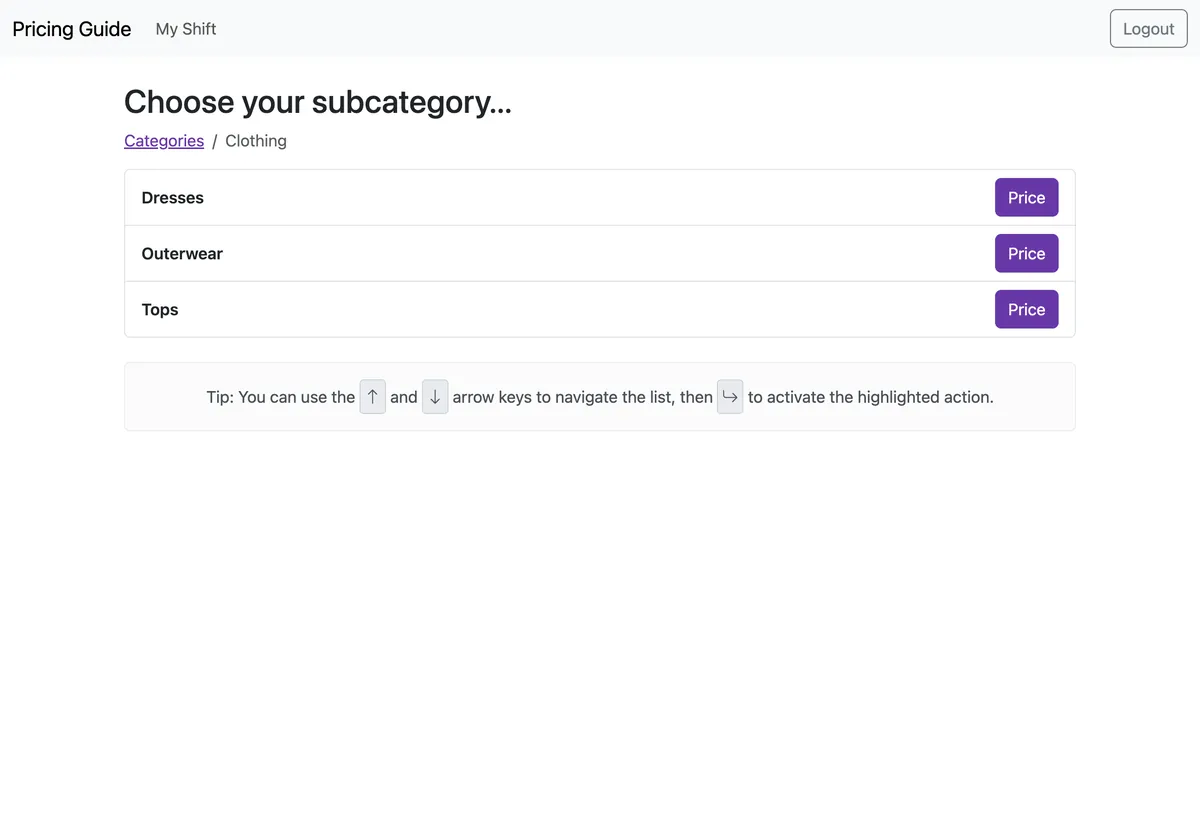
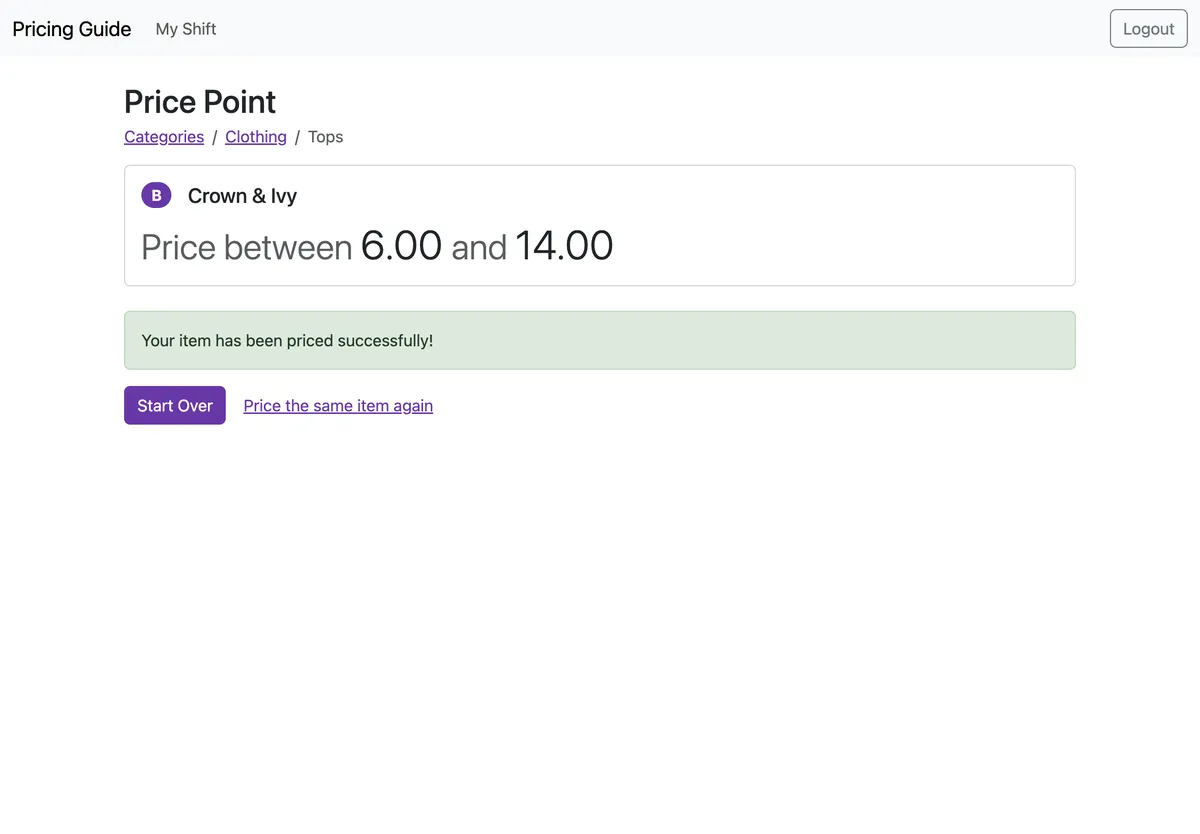
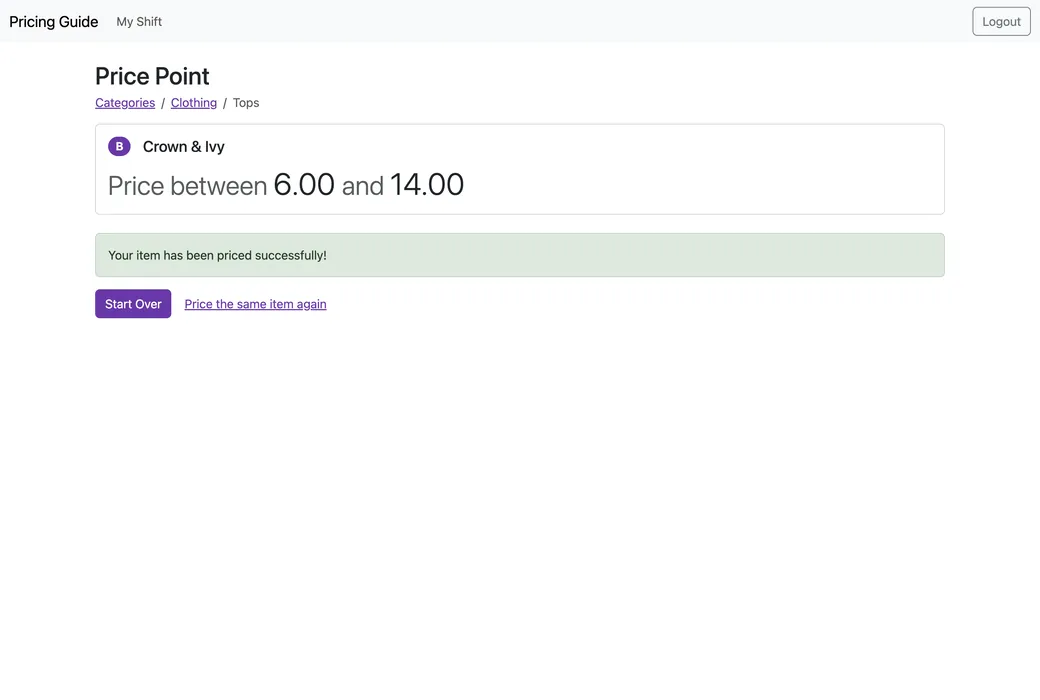
Choose your subcategory: Dresses, Outerwear and Tops under Clothing, each with a Price button. Your item has been priced successfully, under Crown & Ivy’s price range of 6.00 to 14.00, with a Start Over button and a link to price the same item again.

In the stores

Retiring the Binder

Before the Pricing Guide, pricing was done by hand. KARM used a big binder of printed materials, which took a lot of maintenance to review and update throughout the year and to get distributed to all the locations, and a lot of training so that pricers would use it in the same way. Even then there was still inconsistency, because it took a lot of effort to open the binder and do all of the work that was needed there. Other thrift stores all did different things again.

The goal was standardization, between the people pricing at the same store and across all of the stores, by giving pricers a much easier way to find a suggested price for their item.

The guide is installed on iPads and used on Chromebooks with keyboards in the stores, and it’s designed primarily for landscape. You start from a category, say Clothing and then Tops, find the brand on the label, and the guide shows you the range that brand sells for in that category. You pick the item’s condition, from New With Tags down to Fair, type the price you’ve settled on, and it’s saved against your shift. Then you can start over, or price the same item again, and a running count of your shift shows what you’ve priced by category.

The keyboard

Hands on the Keyboard

I started development in September 2024, and I’ve built all of it on my own, from the first models for categories, brands and price points in ThriftTrac’s shared engine to the review queue that keeps the library tidy today.

It works well with touch, but a lot of the attention to detail went into the keyboards on the Chromebooks. A small Stimulus controller for keyboard lists means you can do all of the navigation without taking your hands off the keyboard, from choosing a category to pricing the item and starting the next one.

The price field only takes digits and fills in from the cents, the way a cash register does, so typing 1, 0, 0, 0 gives you 10.00 without ever reaching for the decimal point.

Step through pricing a top here. Each picture is the app on its demo data, reached from the one before with only the keys under it.

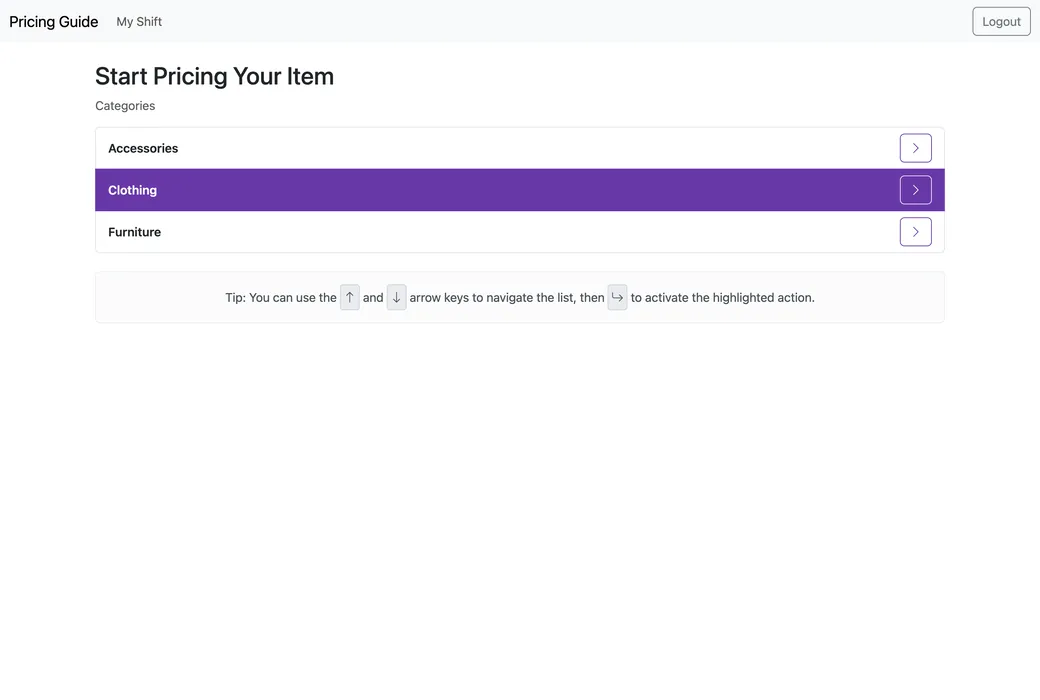
Start Pricing Your Item: Clothing is highlighted in the list of categories, under a tip to use the arrow keys and Return.
Down, down, Return picks Clothing
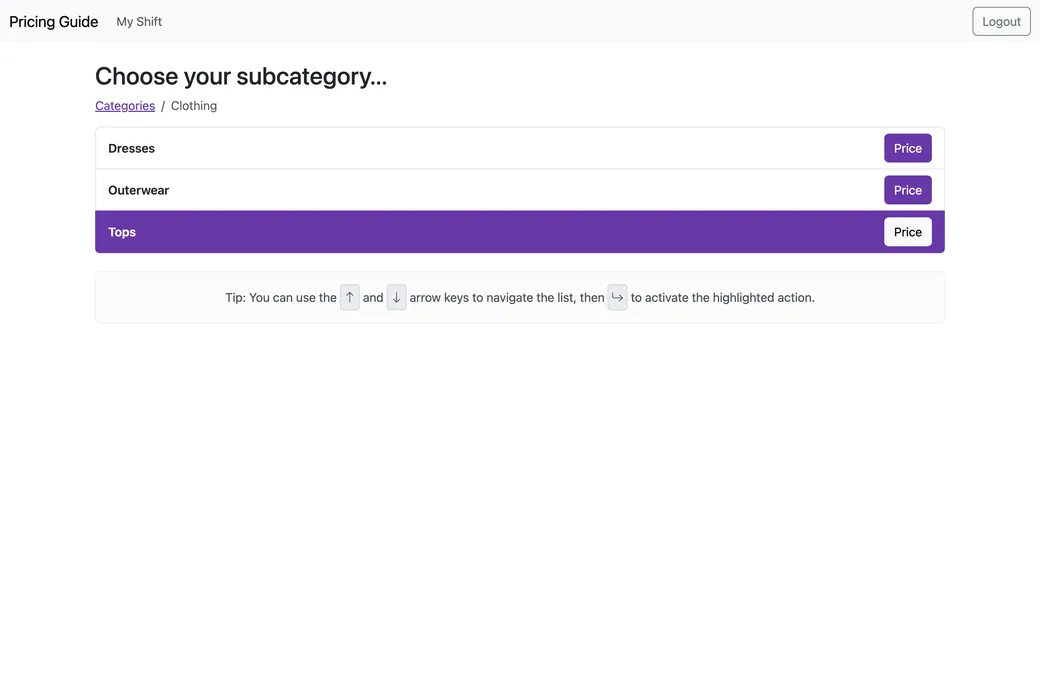
Choose your subcategory: Tops is highlighted, below Dresses and Outerwear.
Down three times, Return picks Tops
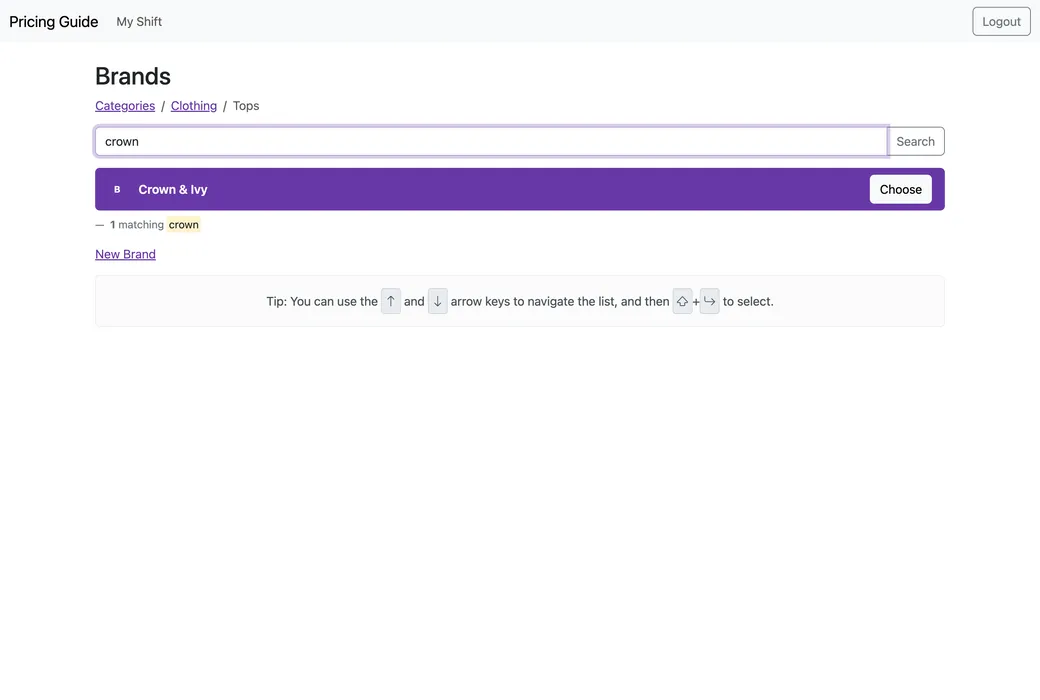
Brands: crown typed into the search, which has found one brand, Crown & Ivy, now highlighted.
Type crown, Down, Shift-Return chooses Crown & Ivy
The price point for Crown & Ivy, between 6.00 and 14.00: Like New is chosen and the final price reads 10.00.
Down, Tab, 1 0 0 0 Like New, at 10.00
Your item has been priced successfully, with a Start Over button and a link to price the same item again.
Return prices it, and Return again starts the next
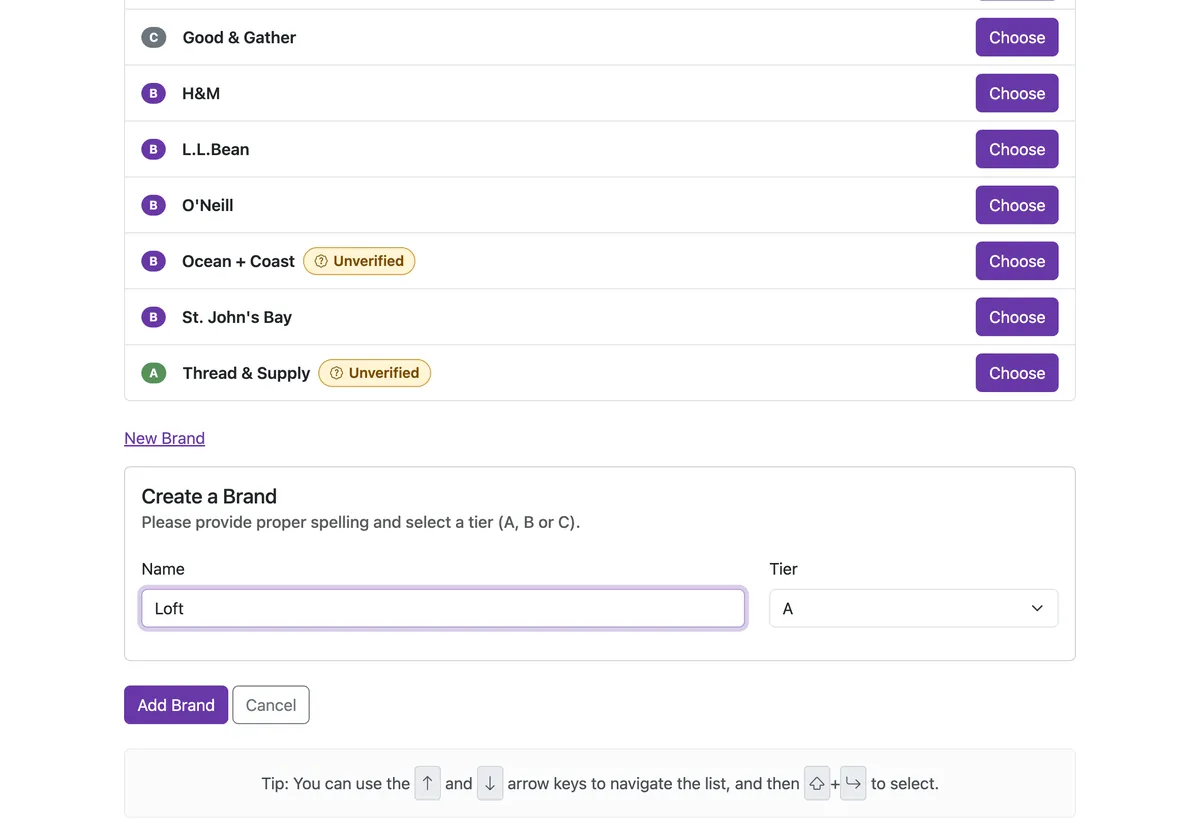
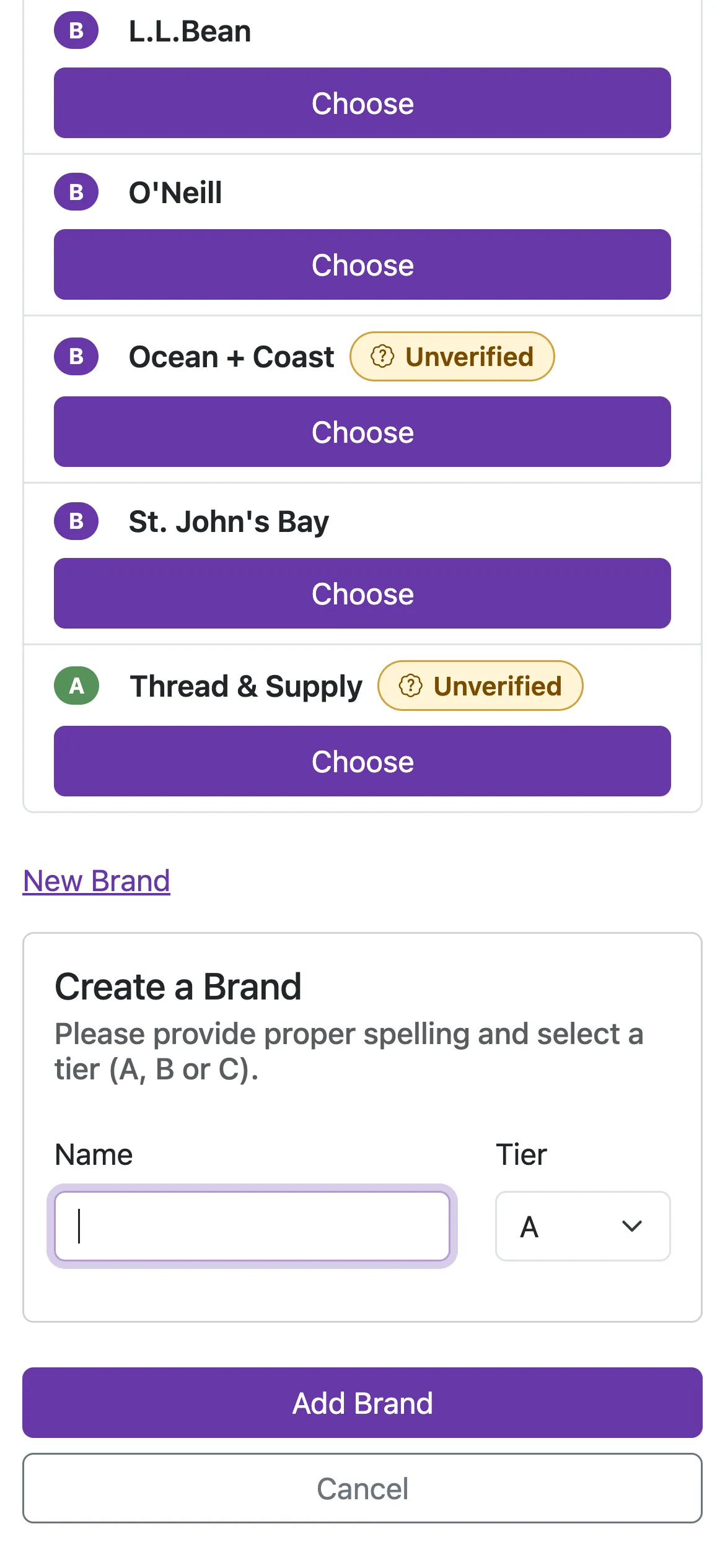
Adding a brand on an iPad: under the brand list, a Create a Brand form has opened in place, asking for the proper spelling and a tier, with Loft typed in and an Add Brand button. The same Create a Brand form on a phone, its fields and buttons stacked to fit the narrower screen.

Plain on purpose

Minimal by Design, Quick Underneath

The Pricing Guide isn’t very exciting to look at, and that was intentional. It’s an internal tool meant to serve a utilitarian purpose, and the number one goal was making it as easy and intuitive to use as possible, minimal by design, with a plain list or a short form on every screen and nothing a pricer doesn’t need.

There’s a lot going on behind that, and it leans heavily on Turbo Frames and Turbo Streams to be as quick and responsive as possible. The whole flow runs inside one frame, so moving from a category to its brands to a price point swaps just that part of the page. The brand results update in a frame of their own as you type, a new brand is added in a form that opens in place in the list and lands in it with a Turbo Stream when it’s saved, and pricing an item swaps the form for its confirmation without a page load.

It’s also a responsive website, so the same pages fit a landscape iPad, a Chromebook’s screen or anything narrower, and the keyboard tips are hidden on small screens, where there’s no keyboard to use them with.

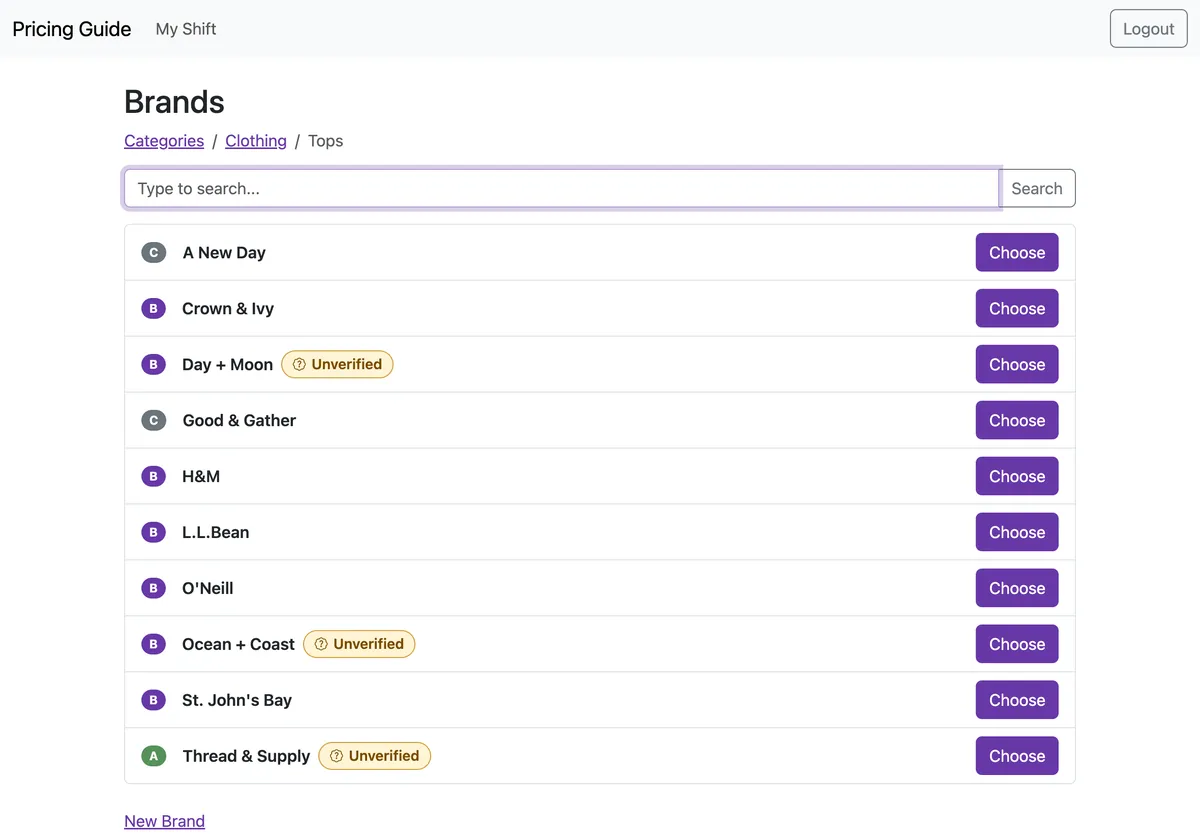
The brand list for Clothing, Tops on an iPad: ten brands, each with a tier badge of A, B or C, and Day + Moon, Ocean + Coast and Thread & Supply marked Unverified.

The shared library

One Library for Every Store

The Pricing Guide isn’t only used by KARM’s own stores. It’s a paid product, and other thrift store chains around the country pay to gain access to it. So I added a Shared Pricing Library: brands, categories and price points that belong to no one store, which every organization with access to it sees alongside its own.

A store can still add a brand the library doesn’t have, and it stays that store’s own. In the guide it carries an Unverified badge, which says it hasn’t been checked yet, and every brand shows its tier, A, B or C, beside its name.

Those brands and price points are fed into a review workflow, so the more organizations use the platform, the more price point data there is to aggregate and summarize. It’s a feedback loop, and it benefits everyone who has access to the system. It’s also what makes the library hard to keep, because every store adds its own brands, in its own spelling.

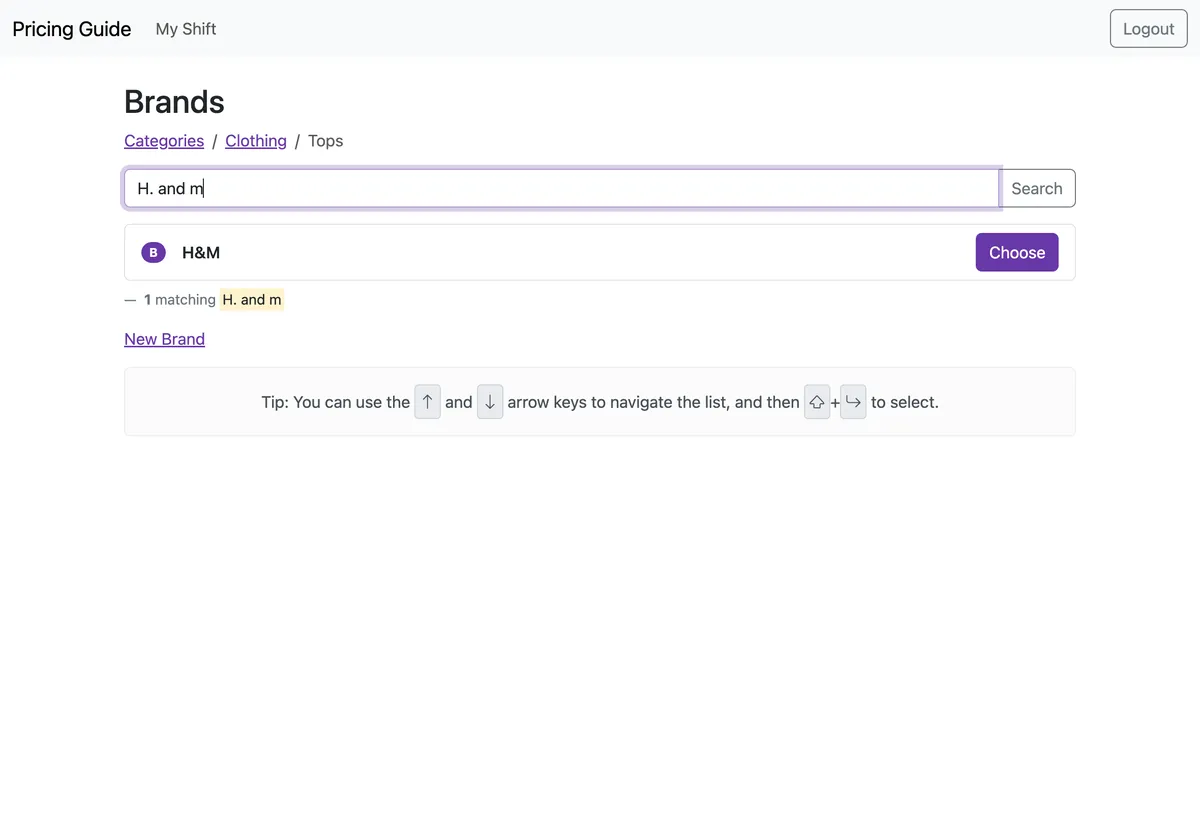
Searching the brands in Clothing, Tops for H. and m on an iPad. One brand is found, H&M.

The search

A Search That Doesn’t Mind How You Spell It

The hardest part of the Pricing Guide turned out to be the part that looks simplest: finding the brand. People type the same brand a lot of different ways when they’re working quickly, so H&M comes in as H & M, H. and m or handm, and O’Neill with or without its apostrophe, and every one of them has to find the same brand.

The names themselves aren’t tidy either. They’re typed on iPads and Chromebooks and pasted in from elsewhere, so the same brand can arrive with curly quotes, long dashes or odd spaces, and some older records had a stray character from Windows where an apostrophe should be, which made a brand like Levi’s hard to find at all.

Then there are the typos, and the short names where one wrong letter makes a different brand, and a list that has to put the brand you meant at the top, every time you press a key. And because every store adds its own brands, one store’s spelling can’t be allowed to become everyone’s duplicate.

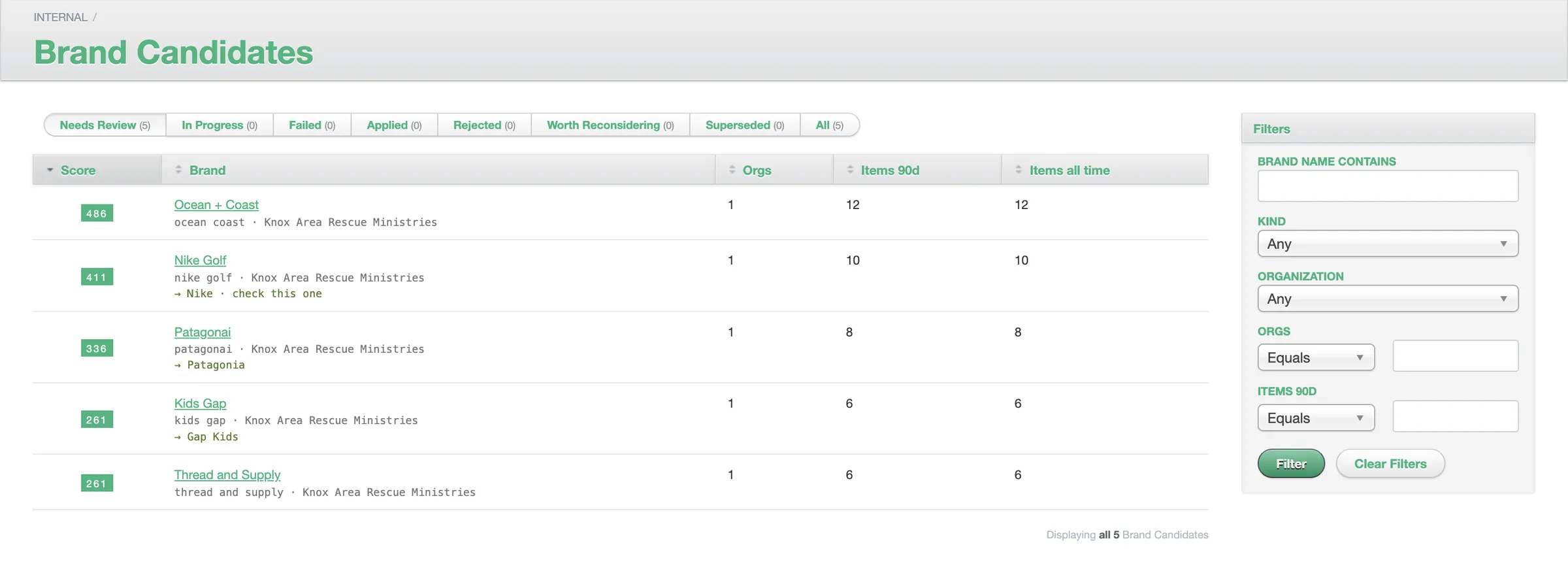
The Brand Candidates queue in ThriftTrac’s admin, on demo data: five names waiting for review, each with a score, the organizations using it and how many items have been priced under it. Patagonai is marked as likely Patagonia, Kids Gap as Gap Kids, and Nike Golf as Nike, check this one.
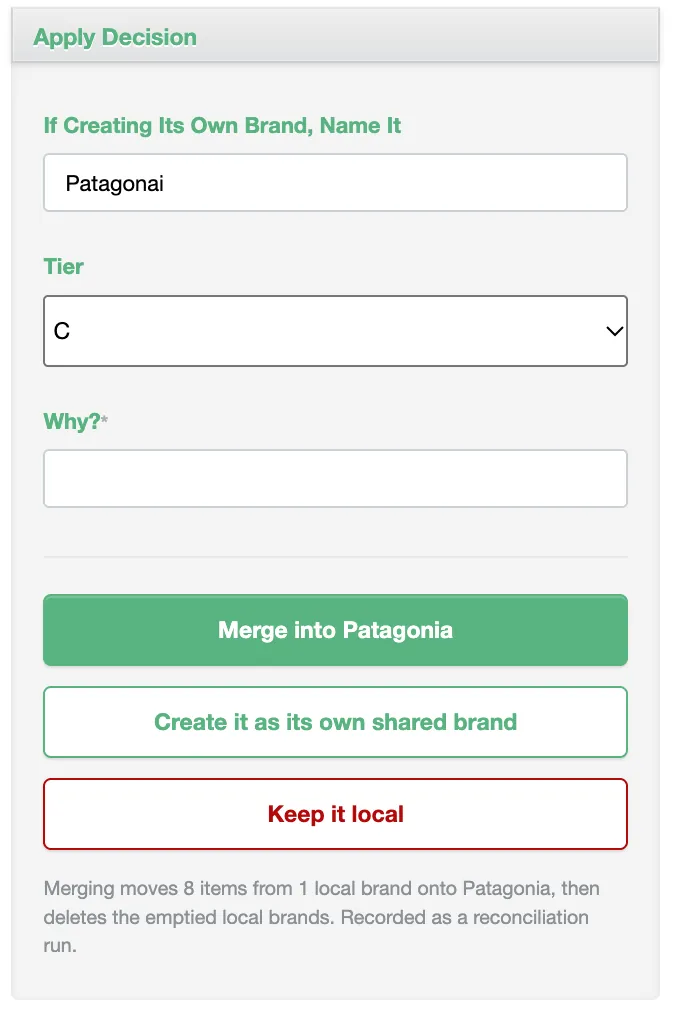
The decision panel for Patagonai, on demo data: a name and tier to use if creating its own brand, a required Why? field, and three buttons, Merge into Patagonia, Create it as its own shared brand, and Keep it local, above a note that merging moves 8 items from 1 local brand onto Patagonia.

Keeping it honest

A Library With a Gatekeeper

A library that lots of stores add to fills up with near duplicates, so I built the part that keeps it tidy, in two halves. The screens here are ThriftTrac’s admin running on demo data.

The automatic half runs every night, folding a store’s own brand into the library’s when they’re plainly the same brand, with its price points and priced items moved across and a record kept of what moved.

Everything else goes to a person, in a review queue in ThriftTrac’s admin, with the names that matter most at the top. A reviewer opens one, reads how it’s priced and what a decision would move, and chooses: merge it into the brand it looks like, add it to the library as a brand of its own, or keep it local. A reason is required, and one decision covers the name for every store.

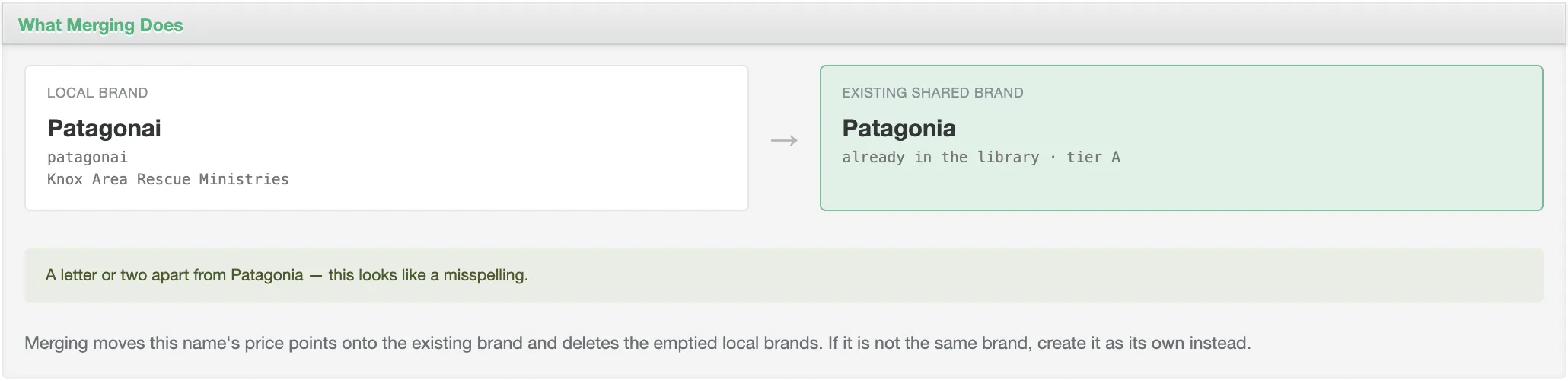
The hard part is that names which look alike aren’t always the same brand. Patagonia Inc is Patagonia under its registered name and Patagonai is a typo, but Nike Golf may not be Nike, Coach isn’t Couch, and Vans is not a Van. A wrong merge moves another store’s price points onto the wrong brand, and nothing puts them back, so a name the rules can’t explain is left for a person rather than guessed at.

What merging does, for Patagonai: the local brand Patagonai beside the existing shared brand Patagonia, tier A, with the note ‘A letter or two apart from Patagonia, this looks like a misspelling’, and a line explaining that merging moves its price points onto the existing brand.

The Craft

Part of ThriftTrac

The Pricing Guide is its own Rails app, deployed on its own, but it isn’t a separate system. Its models live in ThriftTrac’s engine, a private gem that ThriftTrac and OnTrac’s API are built on too, and it works on ThriftTrac’s own database. So people sign in with their ThriftTrac accounts, the organizations, locations and shifts are ThriftTrac’s, and every brand and price saved in a store is there for ThriftTrac’s nightly jobs and review queue to work on.

Tested in a real browser

Its system tests drive a browser through what someone on shift does: signing in, finding a category from the keyboard, searching for a brand, typing a price and pricing the item. They run on every pull request, alongside tests for the search itself and a security scan.

Kept current

It started on Rails 7.2 and Ruby 3.3, and today it runs Rails 8.1 and Ruby 4.0, with Dependabot keeping everything else up to date and errors reported to Sentry.

Light on the server

Choosing a brand used to cost the brand list a lot of queries, so the choice became a quick redirect straight to the brand’s price point instead, which saved quite a bit of server load.

More for KARM Thrift Stores

Three projects for KARM Thrift Stores

All the client work

2016 to 2024

  1. 2016 Still maintainedThriftTracTurns thrift stores' data into information they can act on. Read the case study
  2. 2018 Still maintainedOnTracA point of sale made for the needs of the thrift industry, on iPad. Read the case study
  3. 2024
    Pricing GuideA shared price guide for thrift stores, on the iPads and Chromebooks in the store. You’re reading this